
Changelog
12 August 2026
Version 6.41
Sabentis Prime Update: Version 6.41
API
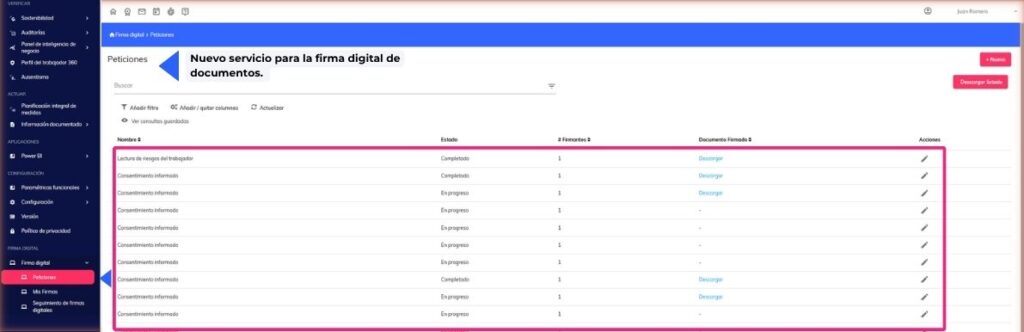
- New service for digitally signing documents.
Absenteeism
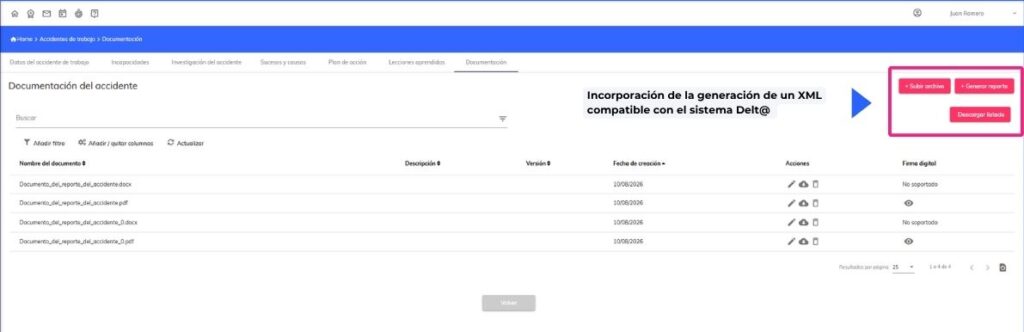
- Incorporation of the generation of an XML compatible with the Delt@ system for reporting work accidents, facilitating its direct import into the official system.
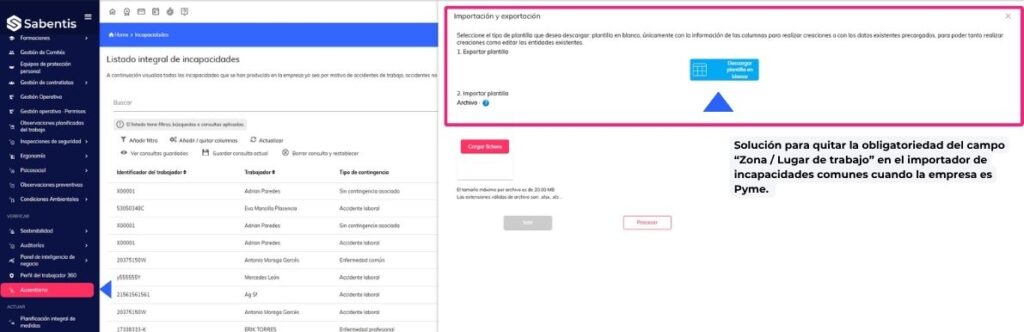
- Solution to remove the mandatory field “Zone / Workplace” in the importer of non-occupational incapacity for work when the company is an SME.
Environmental conditions
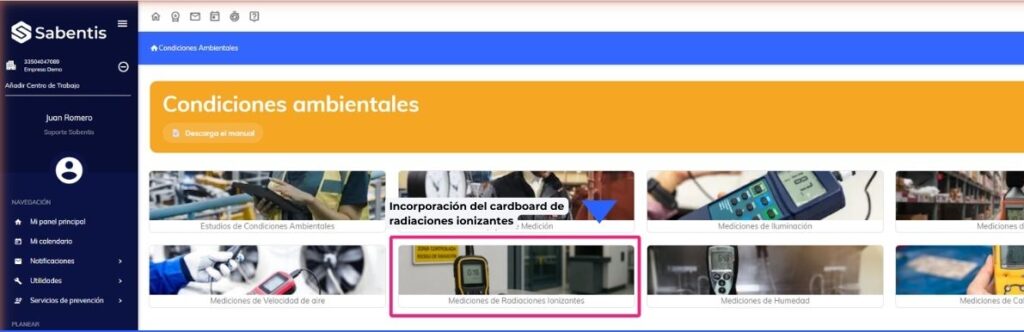
- Incorporation of the ionizing radiation card, allowing the configuration of reference entities and the recording of exposure measurements to automatically calculate the annual dose and zone classification.
Operational management
- Creation of the “All permits” card and option of individual card by permit type, allowing you to view and manage all work permits from a single access point.
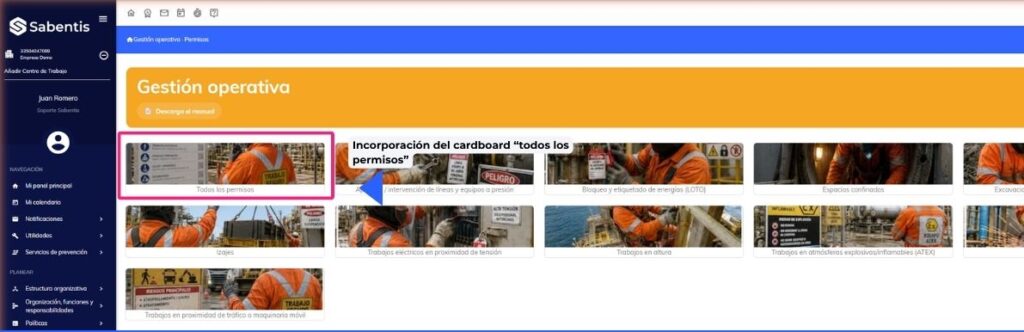
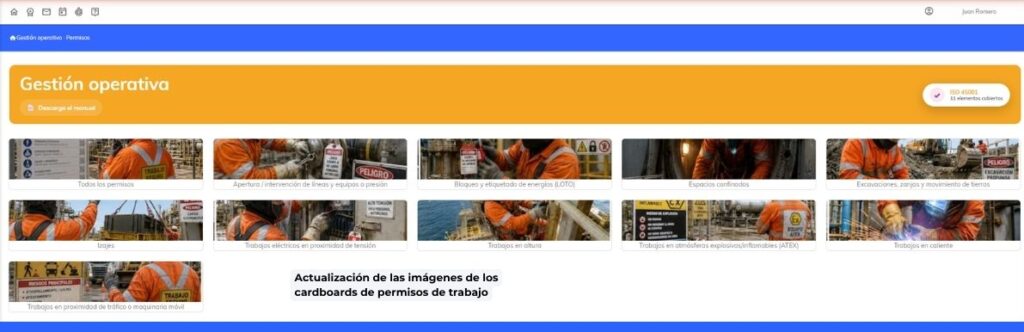
- Update of the images of the work permit cards.
Health surveillance
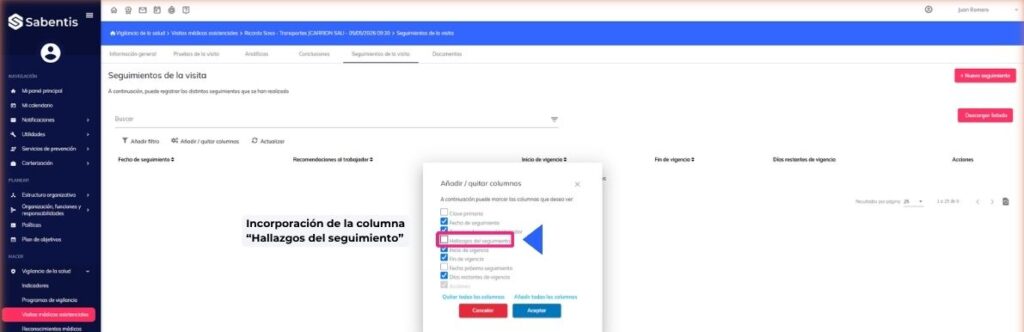
- Addition of the “Follow-up Findings” column to the visit follow-up list in VMA, allowing the data to be consulted without having to open the follow-up form.
22 July 2026
Version 6.40
Sabentis Prime Update: Version 6.40
API
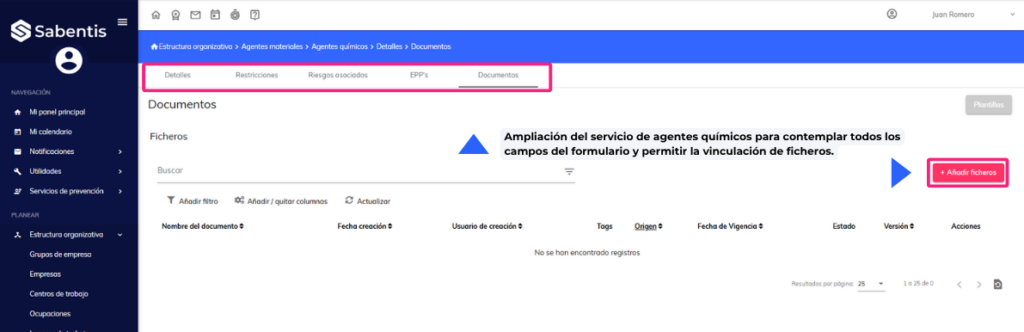
- Expansion of the chemical agents service to include all fields of the form and allow file linking.
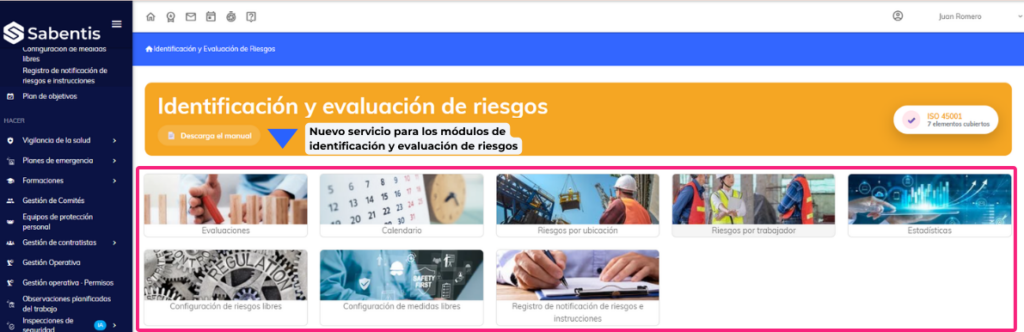
- New service for the risk identification and assessment modules (IER/IPER).
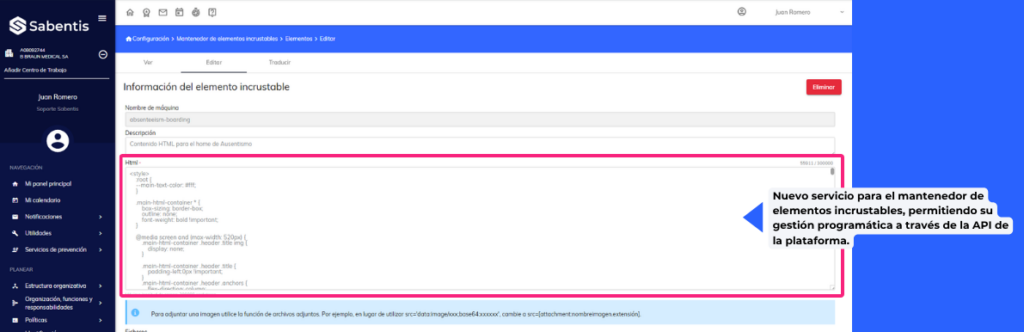
- New service for the embeddable elements manager, allowing their programmatic management through the platform’s API.
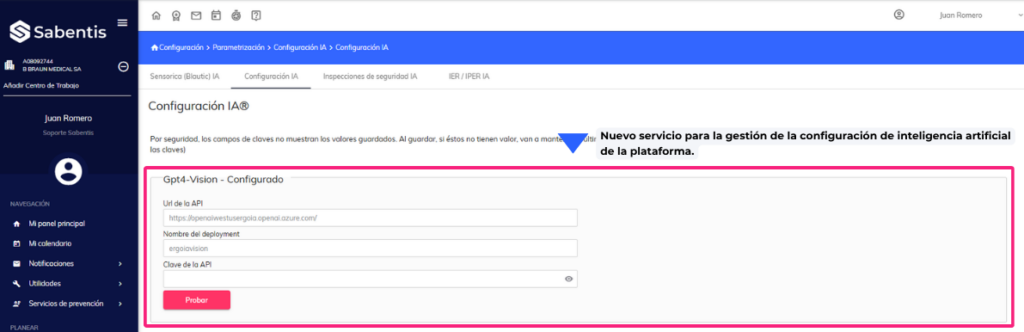
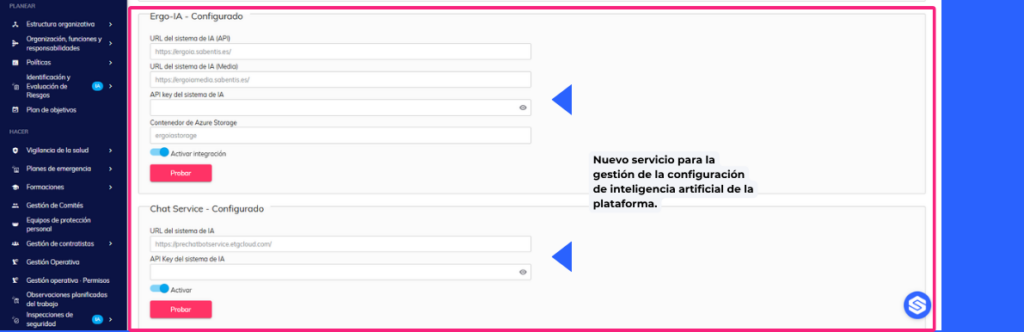
- New service for managing the artificial intelligence configuration of the platform.
- New service to consult the documentation of services available on the platform.
Environmental conditions
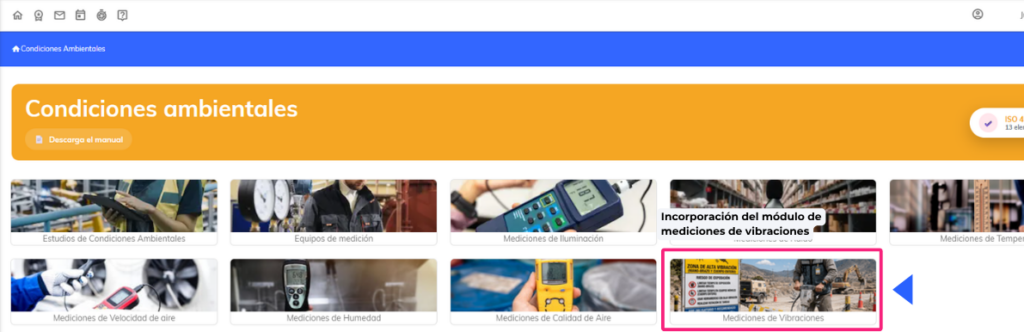
- Incorporation of the vibration measurement module, with measurement list, new measurement form and automatic calculation of exposure levels by type (hand-arm system and whole body).
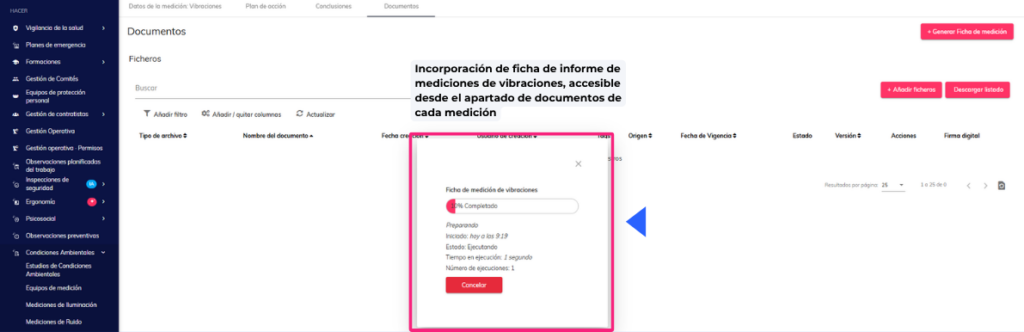
- Incorporation of a vibration measurement report form, accessible from the documents section of each measurement.
Dashboard
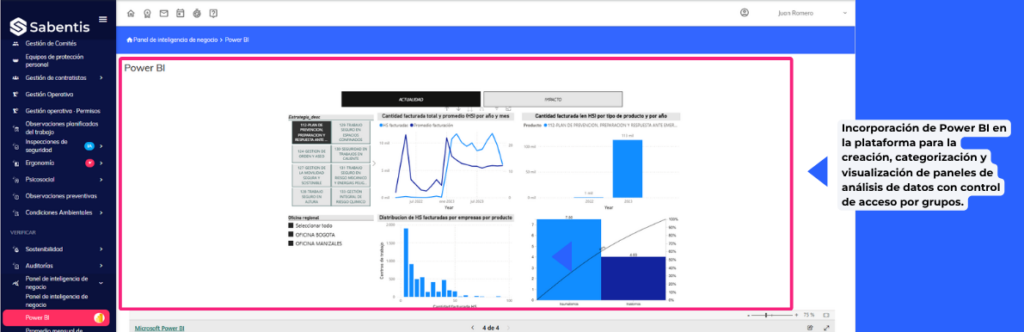
- Integration of Power BI into the platform for the creation, categorization and visualization of data analysis dashboards with access control by groups.
Organizational structure
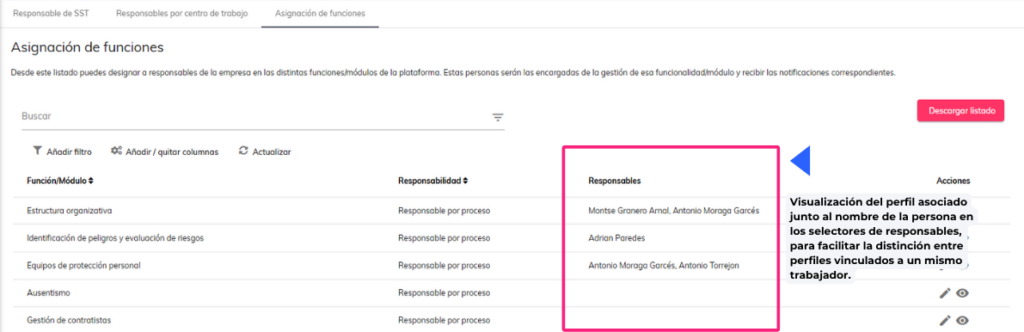
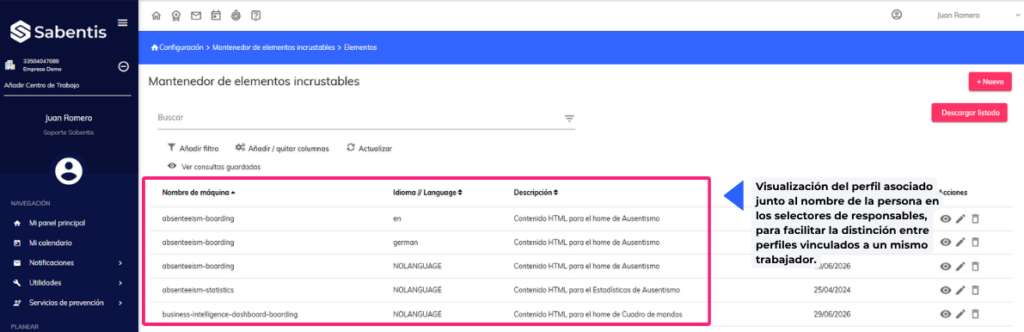
- Displaying the associated profile next to the person’s name in the manager selectors, to facilitate the distinction between profiles linked to the same employee.
Others
- Automation of loading startup headers for each module when starting environments or activating new modules, eliminating the need for manual insertion.
15 July 2026
6.39.0
Sabentis Prime Update: Version 6.39
Ergonomics
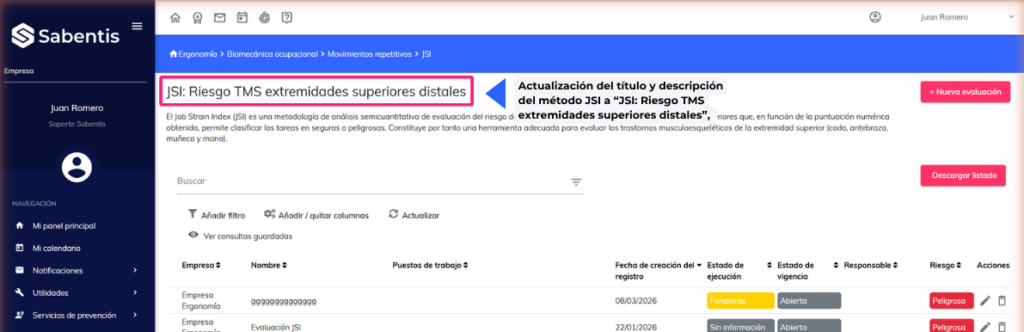
- Update of the title and description of the JSI method to “JSI: MSD risk in the distal upper extremities”, with incorporation of explanatory tooltips in the fields of Intensity of effort, Duration of effort, Efforts per minute, Hand-wrist posture, Working speed and Duration of task.
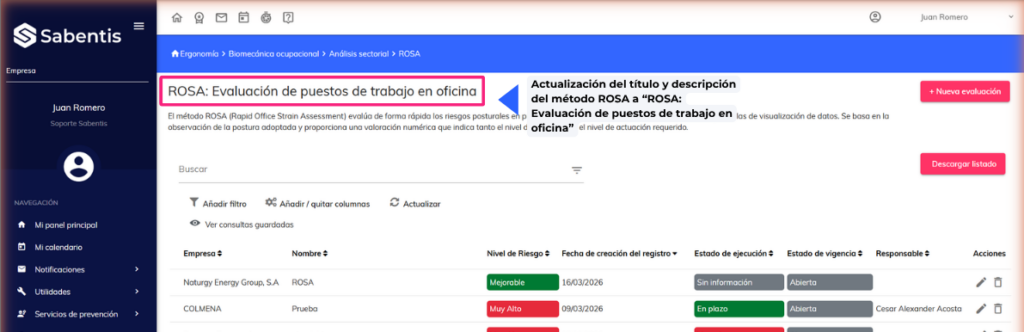
- Update of the title and description of the ROSA method to “ROSA: Office workstation assessment”, with a more precise description of its scope in the analysis of postural risks in jobs with visual display screens.
Organizational structure
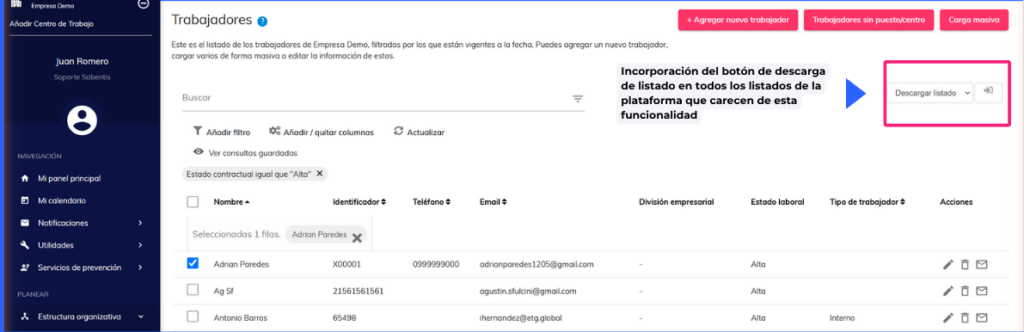
- The download button has been added to all platform lists that currently lack this functionality, starting with the employee view in Organizational Structure. The export process preserves applied filters and generates an Excel file containing the list data.
Contractor management | Coordination of business activities (CAE)
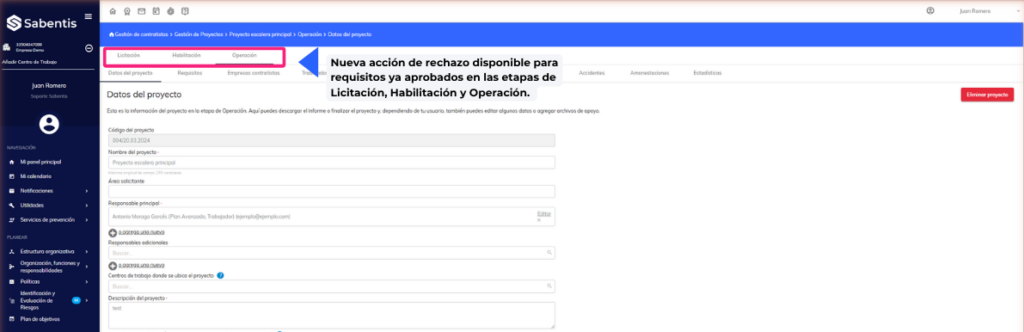
- A new rejection action is now available for requirements already approved in the Tendering, Qualification, and Operation stages. The approval pop-up message has also been updated to inform users that the evaluation can be reversed at a later date.
Comprehensive planning of measures
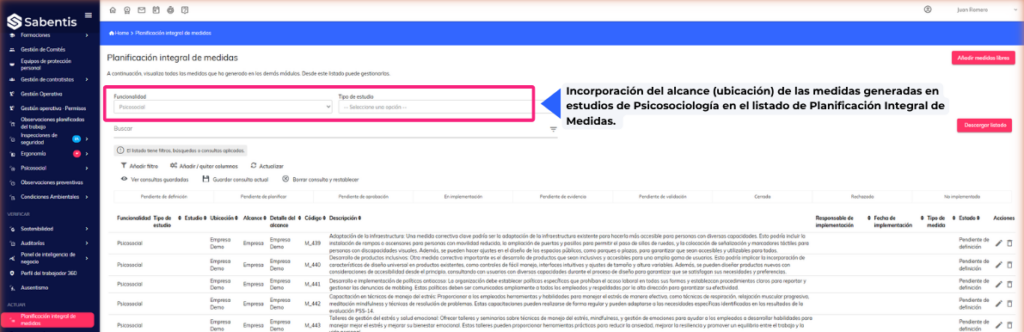
- Incorporation of the scope (location) of the measures generated in Psychosociology studies into the list of Comprehensive Measures Planning.
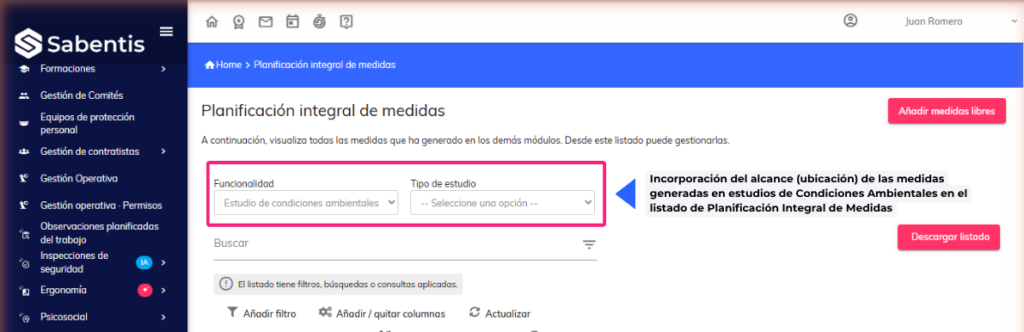
- Incorporation of the scope (location) of the measures generated in Environmental Conditions studies into the list of Comprehensive Planning of Measures.
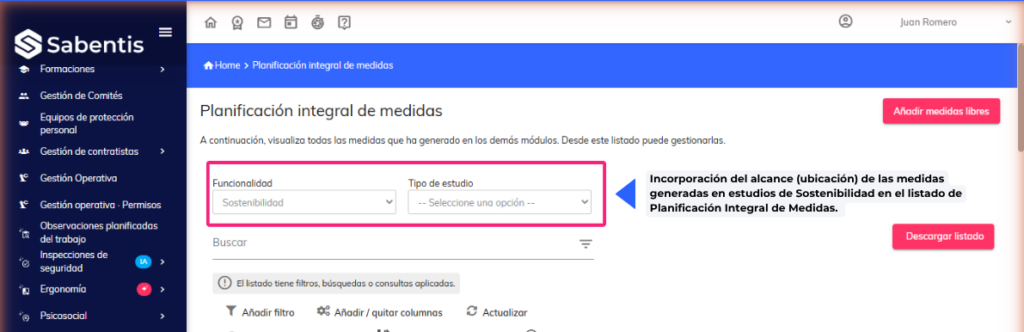
- Incorporation of the scope (location) of the measures generated in Sustainability studies into the list of Comprehensive Planning of Measures.
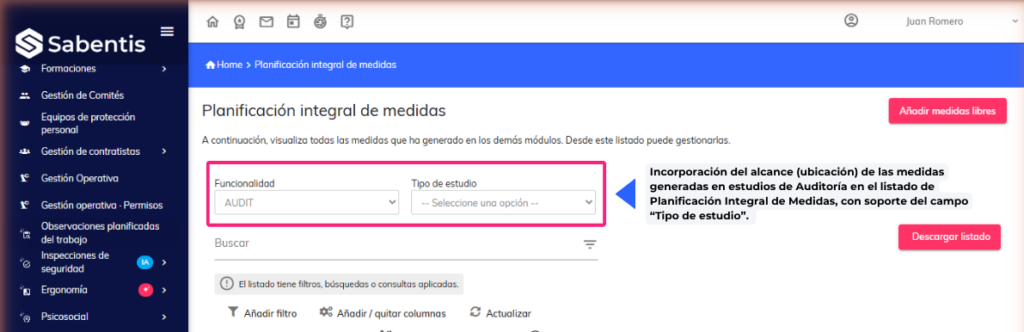
- Incorporation of the scope (location) of the measures generated in Audit studies into the Comprehensive Measures Planning list, supported by the “Type of study” field.
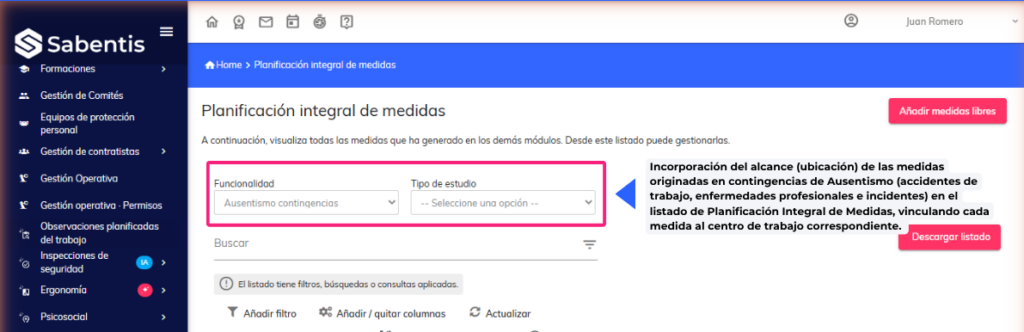
- Incorporation of the scope (location) of the measures originating from Absenteeism contingencies (work accidents, occupational diseases and incidents) in the Comprehensive Measures Planning list, linking each measure to the corresponding workplace.
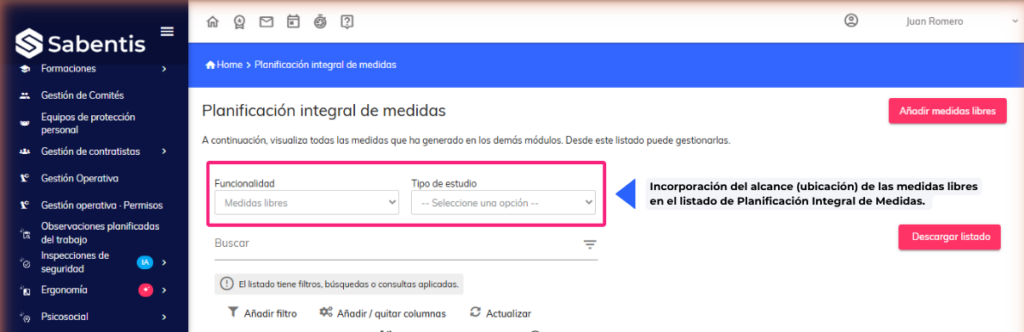
- Incorporation of the scope (location) of the standalone measures in the list of Comprehensive Measures Planning.
Health surveillance
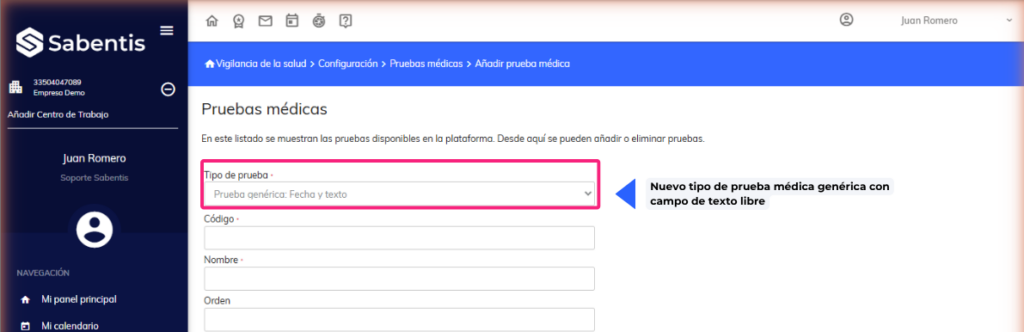
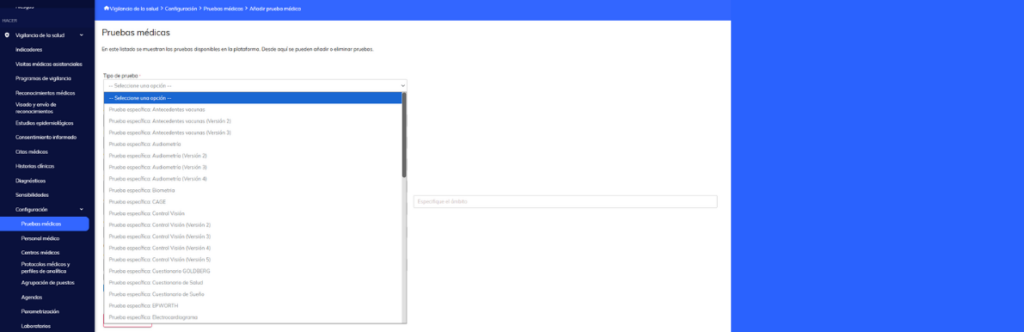
- New type of generic medical test with a free text field and a date field pre-initialized with the date of the examination or medical visit. The recorded values are included in the health examination and medical visit reports.
Others
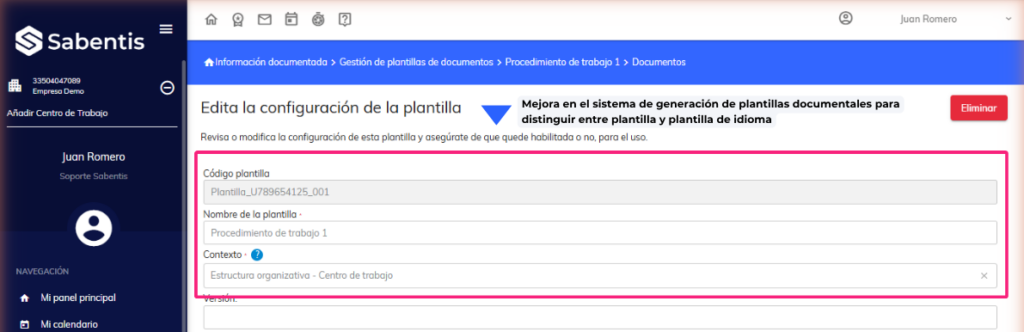
- Improvement in the document template generation system to distinguish between template and language template, with automatic resolution of the user’s language when not explicitly specified.
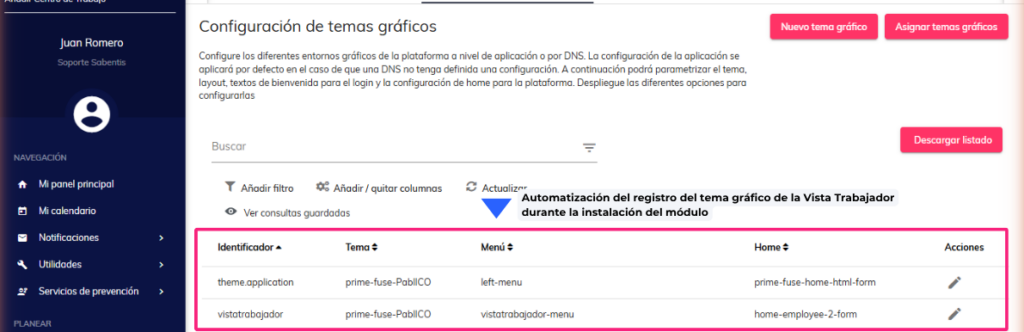
- Automating the registration of the Worker View graphic theme during module installation, eliminating the need for manual configuration in each new deployed environment.
14 July 2026
Version 6.38
Sabentis Prime Update: Version 6.38
Virtual Assistant
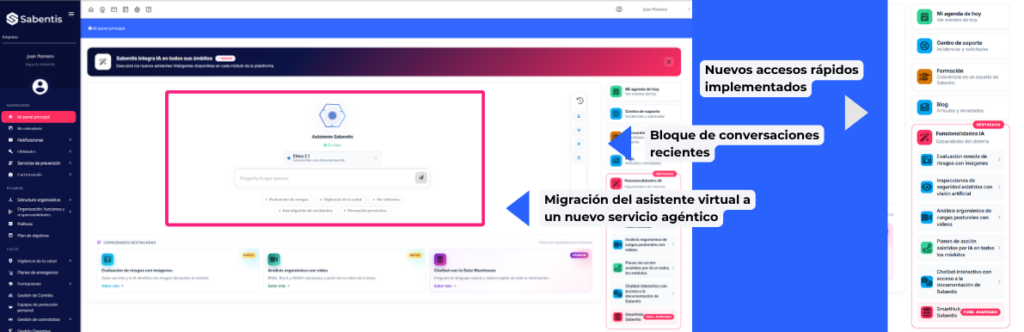
- Migration of the virtual assistant to a new chat service, incorporating conversation history, API key configuration by organization, and display of sources in three modes (in text, in separate panel, or hidden).
- Redesign of the virtual assistant’s home screen with a new recent conversations block, quick access to corporate content (Academy, Blog, Videos) and evaluation of personalized notifications per user (pending evaluations, unfinished actions and alerts).
8 June 2026
Sabentis Prime Update: Version 6.37
Absenteeism
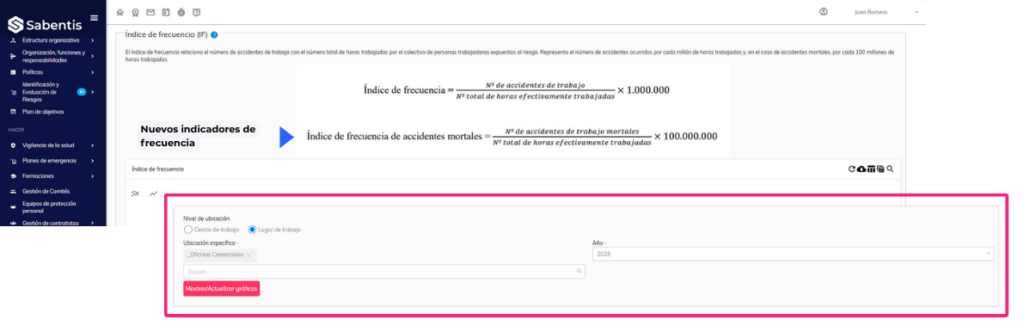
- New indicators in the accident rate graphs, including cumulative frequency index, expected index and statistical limits (LI and LS) according to INSST methodology, with the possibility of activating/deactivating each series independently.
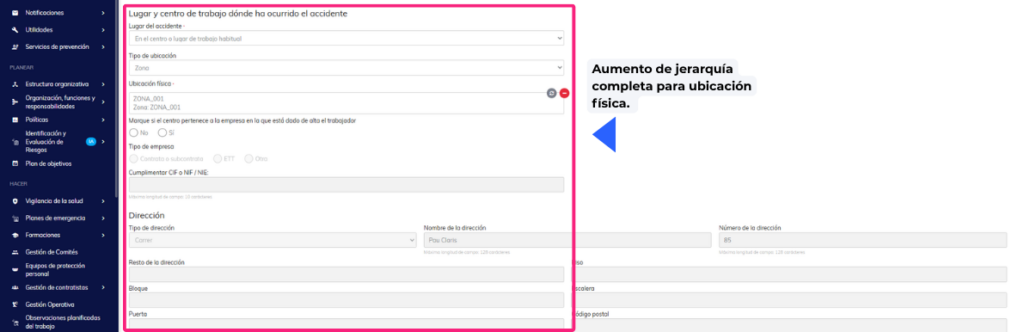
- Improvement to the accident location selector to show the full hierarchy of the selected physical location when registering a new accident.
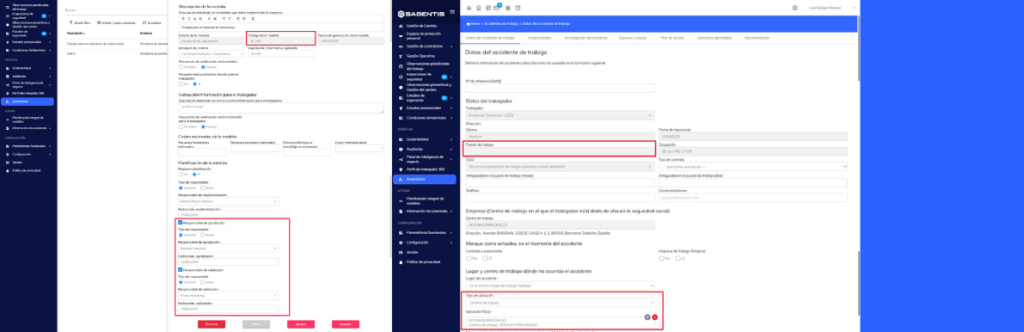
- Incorporation of new variables in the accident investigation report templates: job position, type of location, physical location, and responsible parties with maximum approval and validation dates in the action plan.
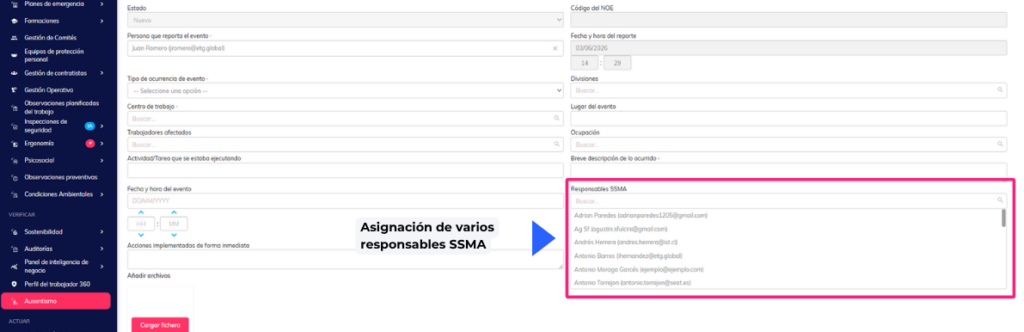
- Possibility of assigning multiple SSMA responsible parties in event occurrence notifications (NOE), with approval/rejection logic for any of the assigned responsible parties and option to reopen a NOE that has already been resolved.
Personal protective equipment
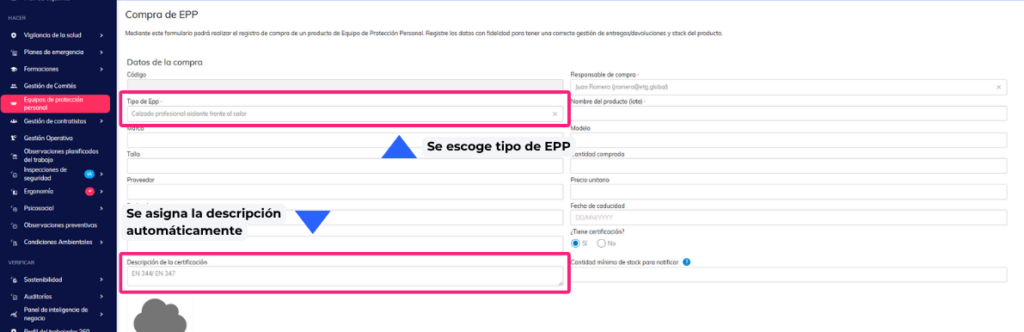
- Automatic pre-initialization of the “Certification Description” field when selecting a type of PPE in a new purchase, taking the value configured in the inventory.
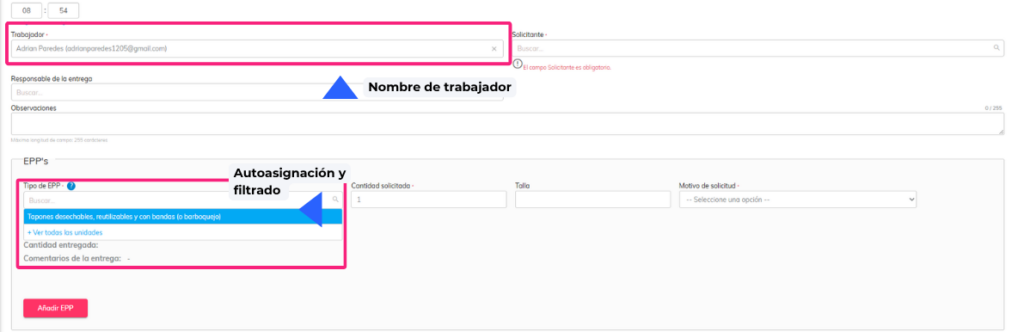
- New restrictive filtering option so that only the equipment defined for the worker according to their occupation, position or individual assignment appears in the PPE application and delivery forms.
Organizational structure
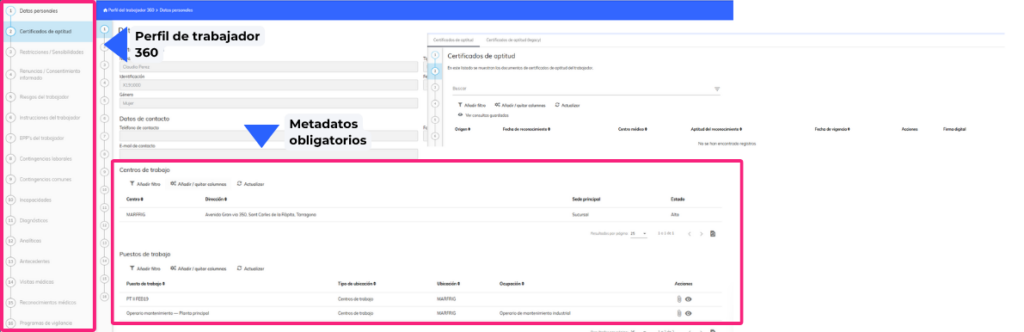
- Manual and structured upload of fitness certificates from the worker’s record, with mandatory metadata registration (medical center, fitness, examination and validity dates) and visualization of the certificates in the 360 profile.
Committee management
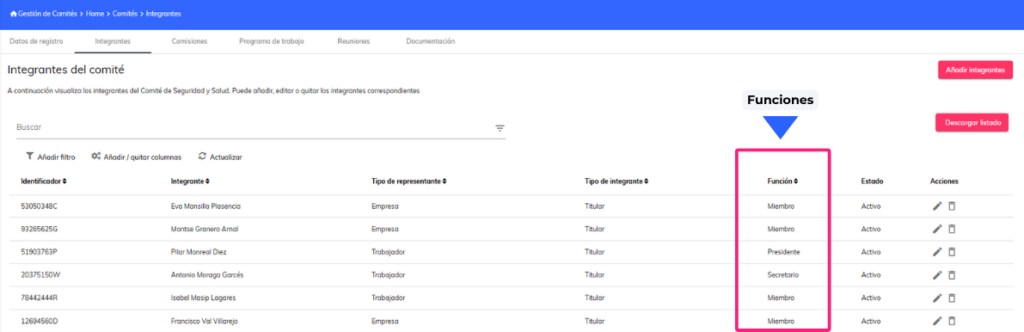
- Parameterization of the “Function” field of committee members, allowing the configuration of new options (such as Equality Agent and Advisor).
Contractor management | Coordination of business activities (CAE)
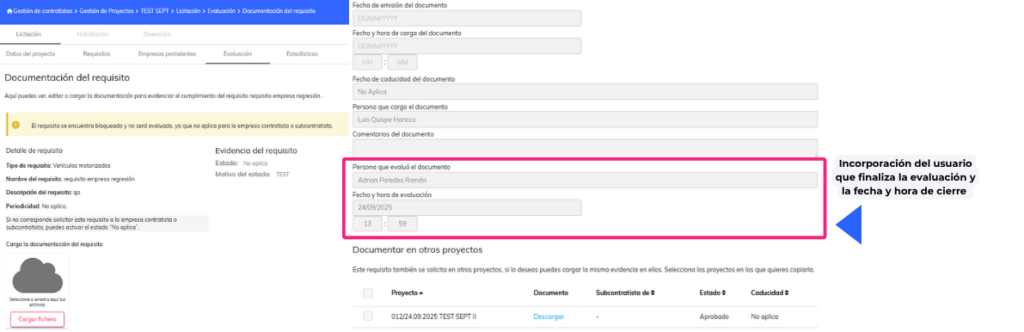
- Incorporation of the user who completes the evaluation and the closing date and time as dynamic variables in the notifications of the results of the Qualification and Tendering phases.
Risk identification and assessment
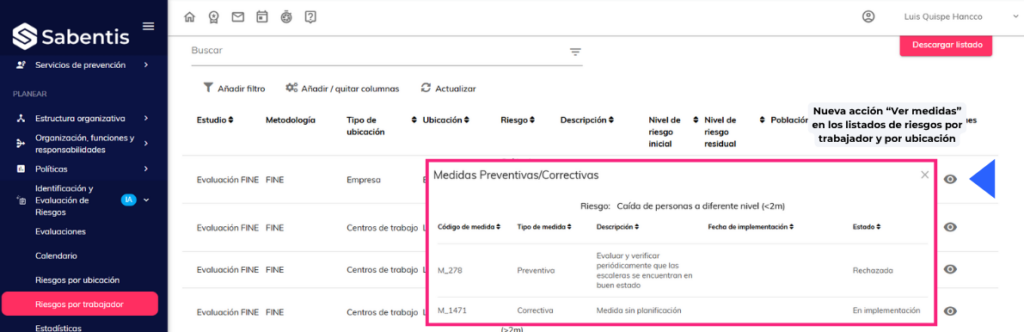
- New action “View measures” in the risk listings by worker and by location, which shows in a side panel the preventive/corrective measures associated with the selected risk.
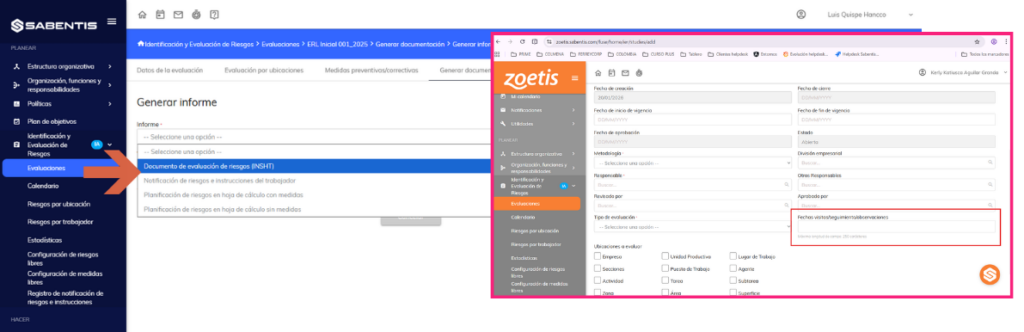
- Enabling custom fields from the risk assessment form as variables available in report templates (INSHT, FINE, NTP330, GTC45) and in risk notification.
- Incorporation of the methodology “Method 2 RM No. 050-2013-TR” as an evaluation option available in IER and IPER, integrated into the standard flow of methodologies.
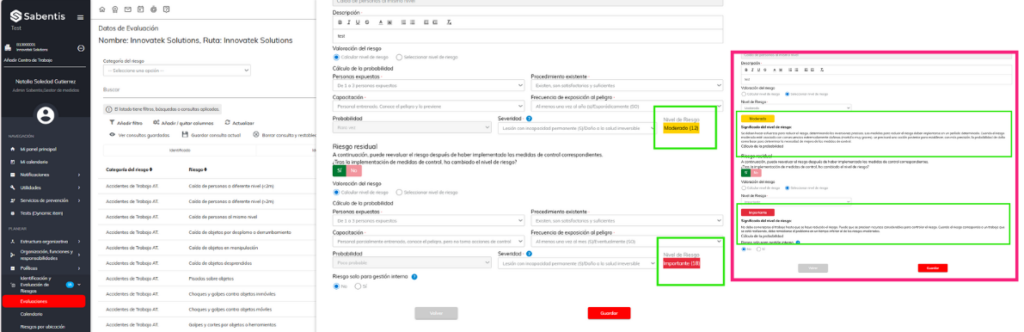
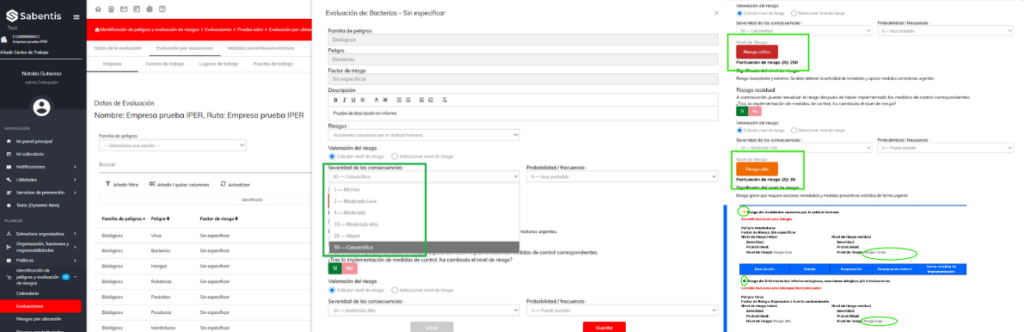
- Incorporation of the methodology “Method 1 RM No. 050-2013-TR” as a new risk assessment option with a 6×6 matrix (consequence × probability), color rating and generation of standard reports.
- Worker risk visibility control: possibility to mark a risk as “for internal management only” so that it does not appear in the worker’s view, in their instructions or in risk notification reports.
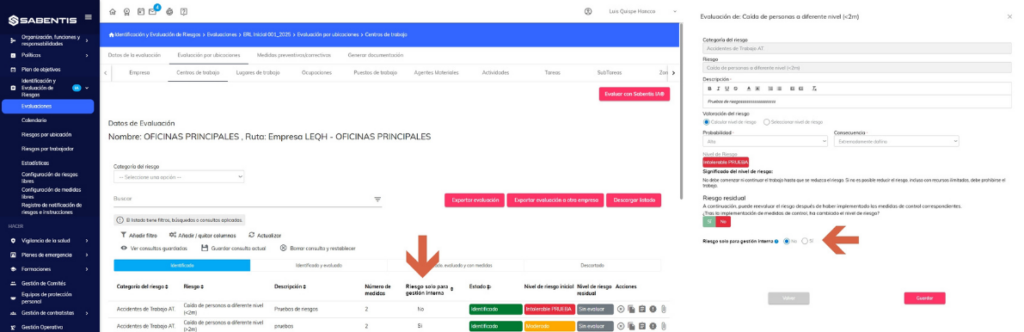
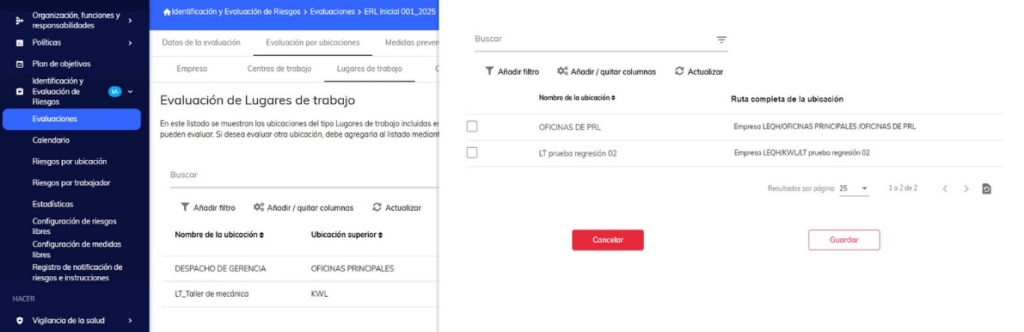
- Addition of the “Full Location Path” column to the location selector when adding items to a risk assessment, showing the full location hierarchy.
Safety inspections
- Display of the complete hierarchical path in the Location field of the measure details, when the selected location is lower than Work Center.
- Automatic management of questionnaire completion dates and inspection closures according to the workflow: dates are automatically assigned if they are empty and are not overwritten if they already have a value. All modifications are recorded in the audit log.
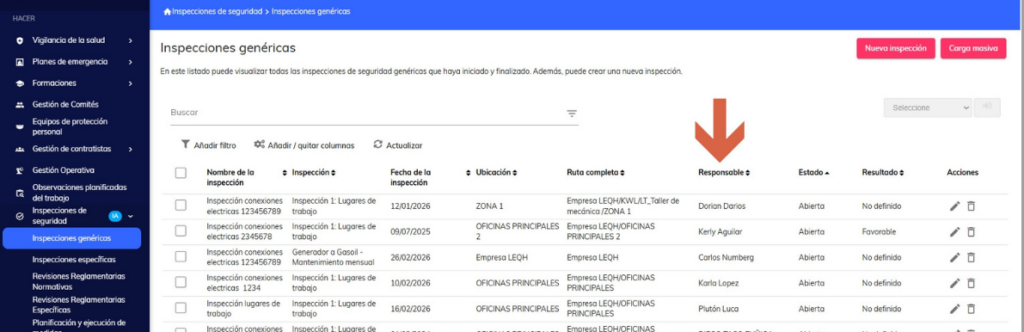
- New viewing permissions in the inspections module: “View only my assigned inspections” and “View only my regulatory reviews”, which limit the listings to records where the user is responsible.
Planned work observations
- Incorporation of the “Full Location Route” column in the location selector when creating planned and preventative observations, showing the full location hierarchy.
Comprehensive planning of measures
- Standardization and persistence of the scope of measures generated in ergonomics studies, linking each measure to the evaluated job position with support for multiple job selection.
- Standardization and persistence of the scope of the measures generated in the preventive observations module, linking each measure to its corresponding physical location.
- Standardization and persistence of the scope of measures generated in safety inspections and regulatory reviews, linking each measure to its physical location or material agent.
- Weekly periodic notification (Monday at 7:00 am) to those responsible for measures with a summary of the status and expiration dates of the assigned measures, highlighting in red the measures that are past their deadline.
- Expansion of the “Type of Measure” field with the options Preventive, Corrective and Improvement, available in all IER/IPER measure forms, filters and reports.
Occupational Health | 360 Worker Profile
- New action “View measures” in the risk list of the worker’s 360 profile, which shows in a side panel the preventive/corrective measures associated with the selected risk.
Health surveillance
- Correction in the generation of medical test reports to correctly display the localized name of the test in health exam and medical visit reports.
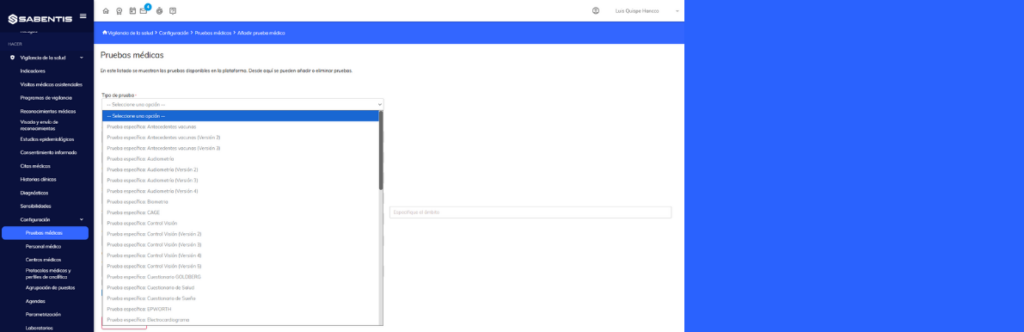
- Addition of the “Reason for Visit” column to the list of Medical Assistance Visits, available for filtering although not visible by default.
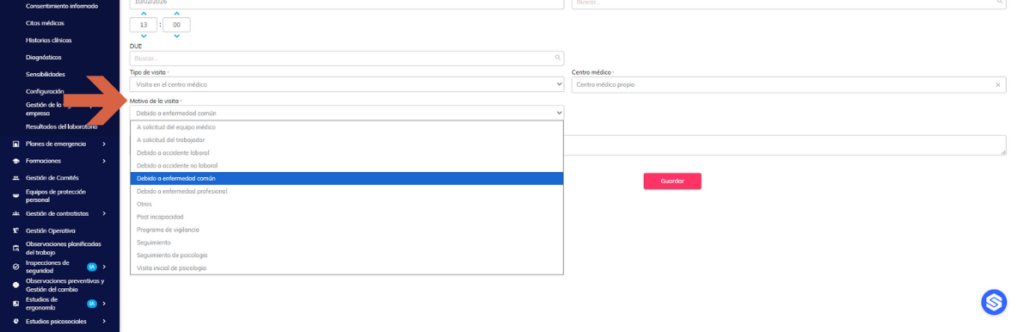
- New type of generic medical test with free text field and date field (pre-initialized with the date of the examination), whose values are included in health examination and medical visit reports.
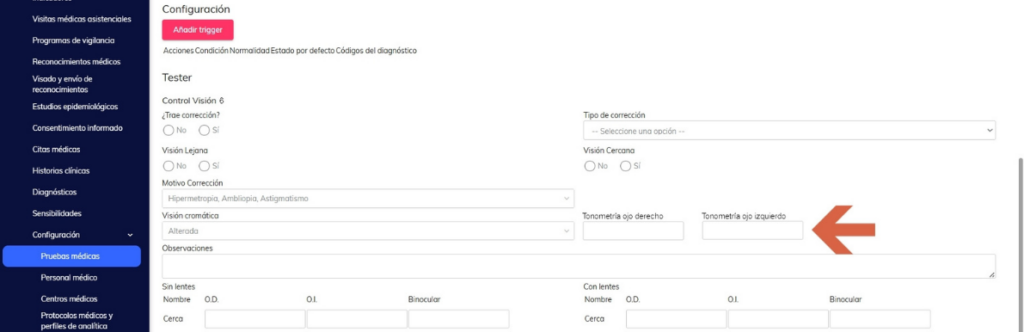
- New version of the vision control test (Version 6) with the fields “Right eye tonometry” and “Left eye tonometry”, with multilingual support and inclusion in reports.
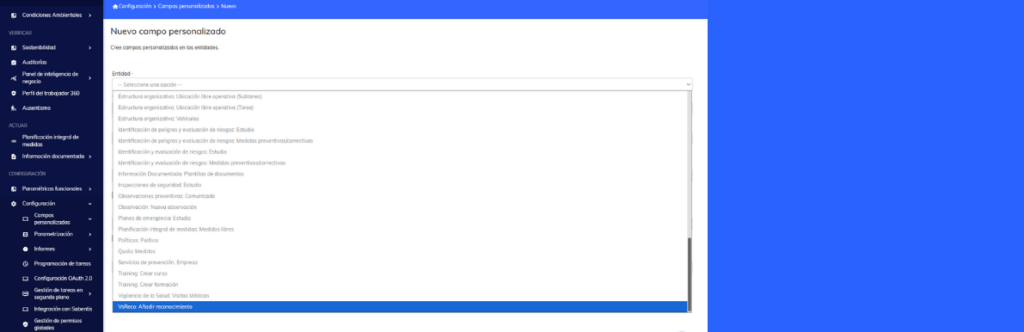
- Enabling custom fields from a medical examination as available variables in the Certificate of Fitness template. [ACHSPRIME-15376]
3 June 2026
Version 6.36
Sabentis Prime Update: Version 6.36
Safety inspections
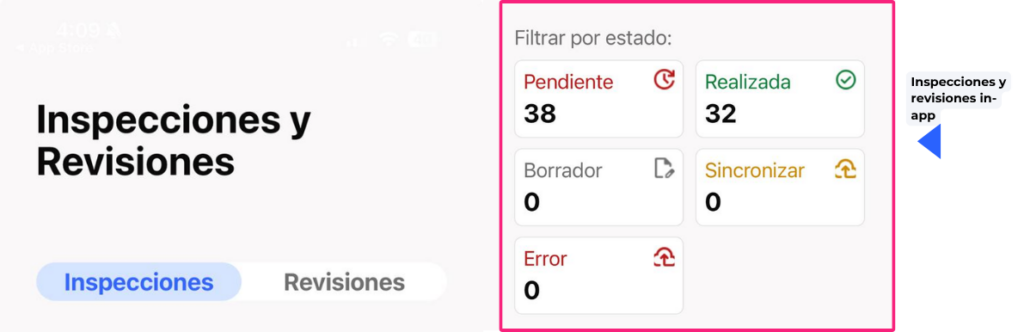
- Correction of the closure of completed inspections without questions and improvement in the filtering of questionnaires marked as “Do not evaluate” during import into the app.
Performance and stability
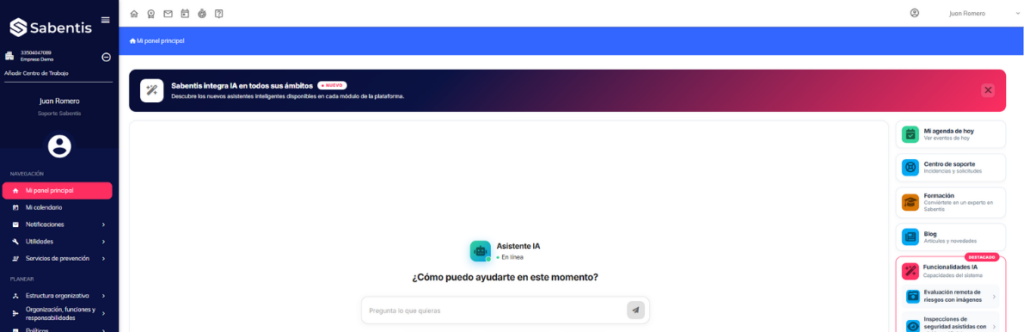
- Updating the platform’s internal structure to improve its stability and facilitate the incorporation of future improvements.
- Improved loading speed of listings: the platform only processes the information in the columns visible on the screen, reducing waiting times in views with a lot of data.
- Platform-wide improvement in overall performance through more efficient management of data in memory, reducing resource consumption and improving response times.
20 May 2026
Version 6.35
Sabentis Prime Update: Version 6.35
Ergonomics
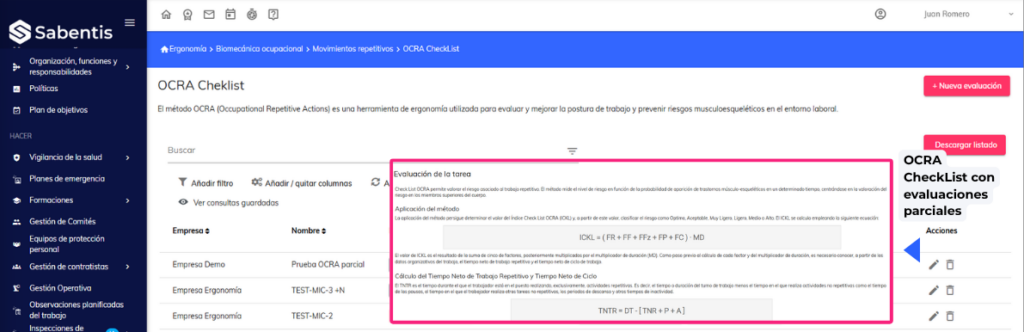
- Improvement of the OCRA CheckList index calculation to allow partial evaluations, considering unreported factors as 0 and applying specific rules for the FF, FP and FC subfactors.
Hazard identification and risk assessment
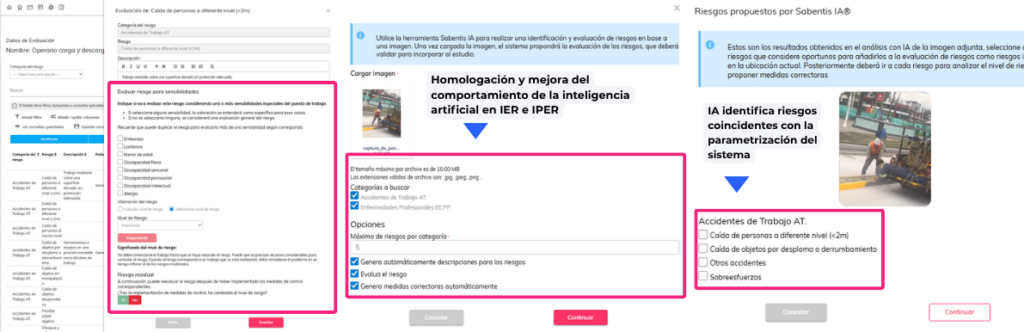
- Standardization and improvement of the behavior of artificial intelligence in IER and IPER: AI identifies risks that match the system’s parameterization, generates content in the environment’s language, and allows the user to select which risks to incorporate into the assessment.
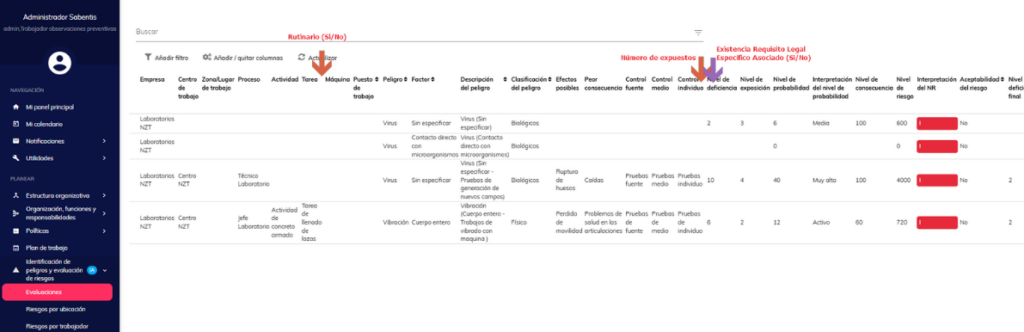
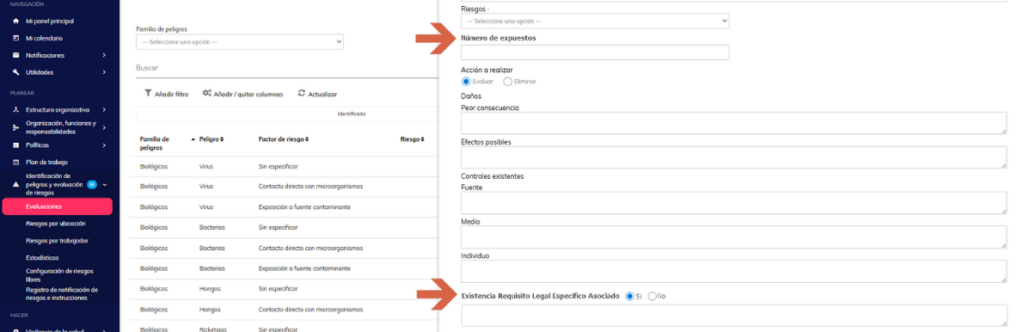
- Incorporation of three new fields in the IPER assessment according to the GTC-45 methodology: routine activity, number of exposed persons and existence of legal requirement, reflected in the planning tab of the report.
Risk identification and assessment
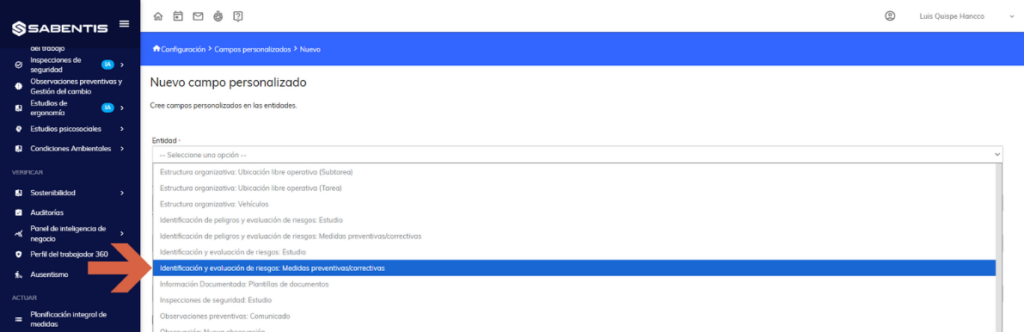
- Enabling custom fields of measures such as tags available in the risk assessment report templates and worker risk notification.
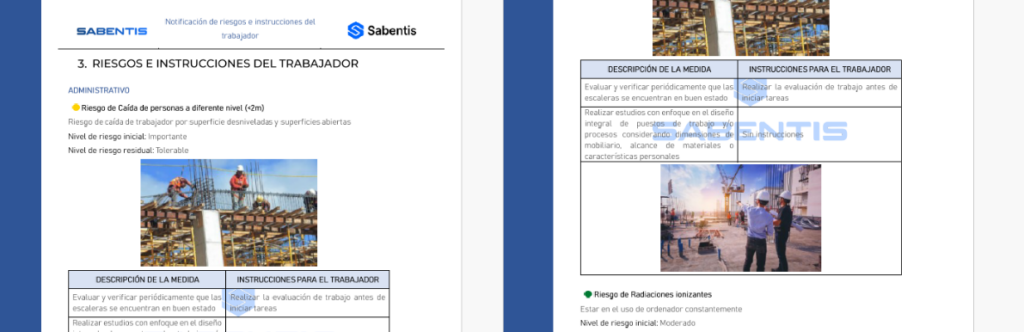
- Unification and redesign of the Risk Notification and Worker Instructions report for IER and IPER, both in the management view and the worker view, establishing a coherent structure, improving the management of optional images and incorporating clear messages when there are no measures or instructions.
Safety inspections
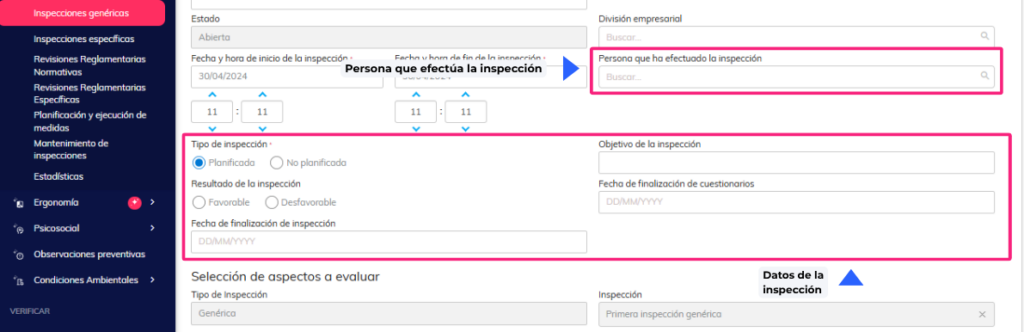
- Incorporation into the safety inspection and review forms of: the person who carried out the inspection, the actual completion date and an indicator of closed/total measures in the list and in the report.
Emergency plans
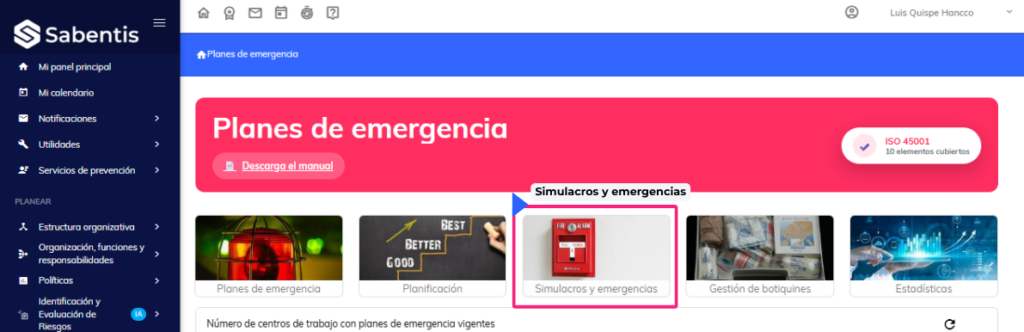
- Decoupling the “Threats” field from the emergency plan when creating drills and emergencies, allowing the selection of any threat parameterized in the system without the need for a prior emergency plan.
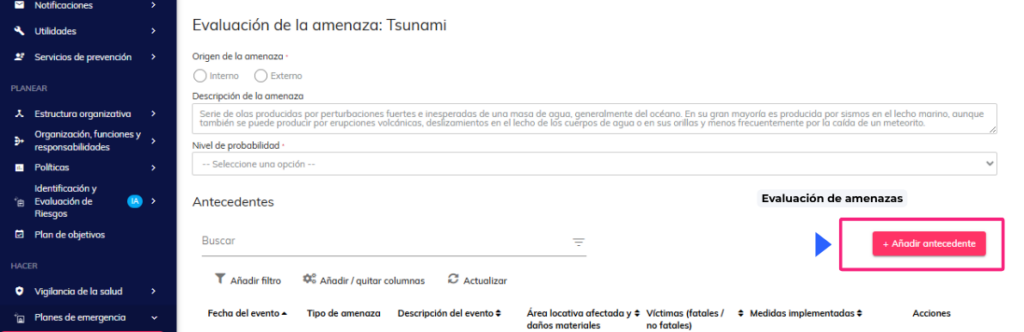
- Incorporation of a new “Background” section in the Threat Assessment of Emergency Plans to record historical events related to each threat, with support for tags in the Emergency Plan report.
Comprehensive planning of measures
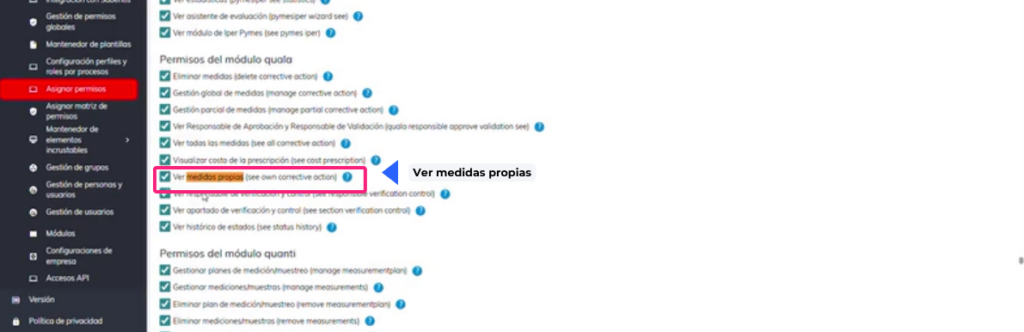
- Redefining the “View own measures” permission to show only the measures where the user is assigned as responsible in any of their roles (implementation, approval, validation, monitoring) or as the creator of the measure.
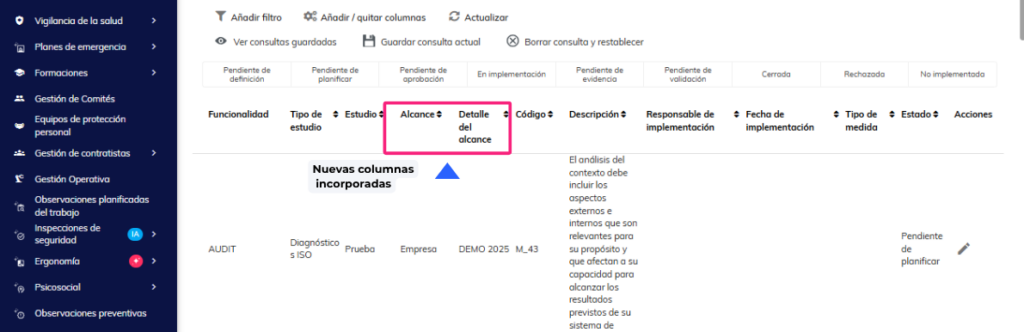
- Standardization and persistence of the location (scope) of the measures in the Comprehensive Measures Planning list, incorporating the columns “Scope” and “Scope Detail” for measures from IER/IPER, Emergency Plans and Planned Work Observations.
Psychosocial
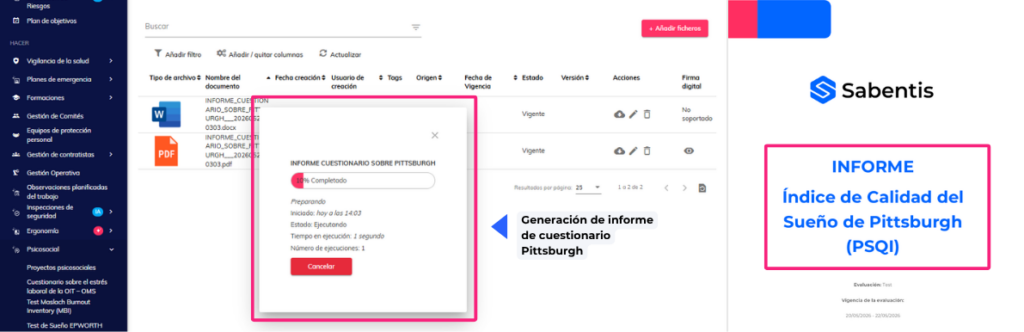
- Creation of reports for the Work Climate, Pittsburgh (PSQI) and Job Perception questionnaires in the Psychosocial module.
Health surveillance
- Creation of a new medical test “Multiple File Upload” that allows you to attach up to 5 PDFs in a single test, available in the Medical Examinations and Healthcare Medical Visits settings.
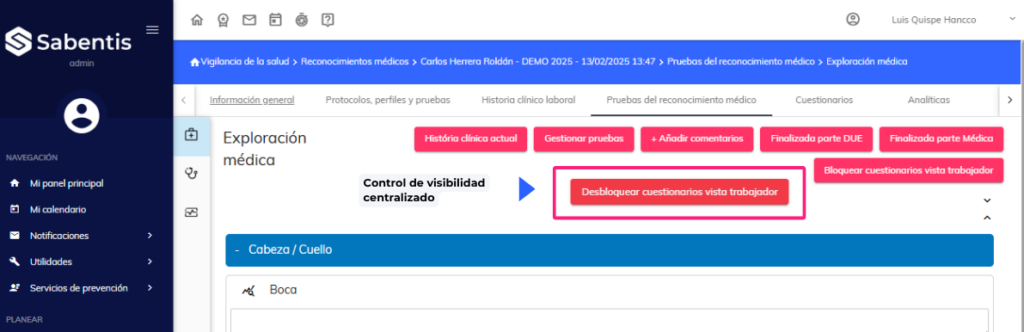
- Visibility control of the Health Examination and the Certificate of Fitness in the worker’s view: both documents will only be accessible once the Medical Examination has been approved.
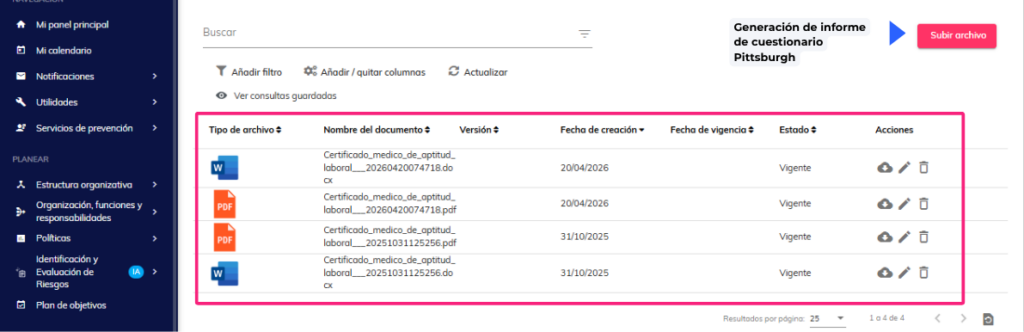
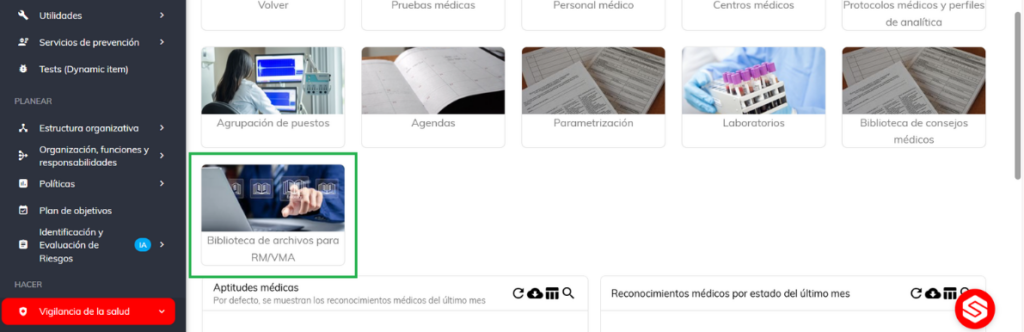
- Creation of a centralized library of reusable PDF files in Health Surveillance, available as attachments in Health Examination reports without needing to upload them in each individual process.
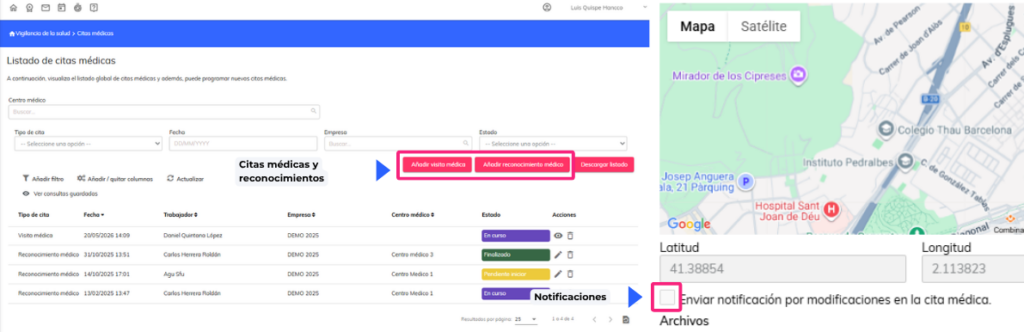
- Improved medical appointment notifications (RM/VMA) to include information about available pre-appointment questionnaires, and creation of an automatic reminder 24 hours before the appointment.
20 April 2026
Version 6.34
Sabentis Prime Update: Version 6.34
Absenteeism
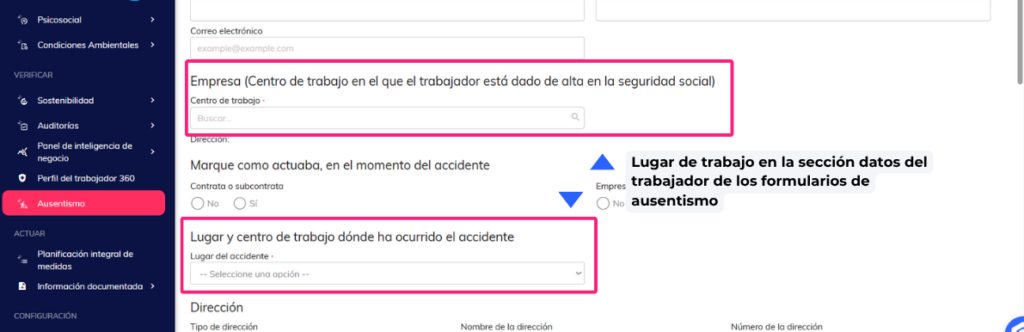
- It is permitted to report the workplace in the worker data section of the absence forms: work accidents, occupational disease and common contingencies.
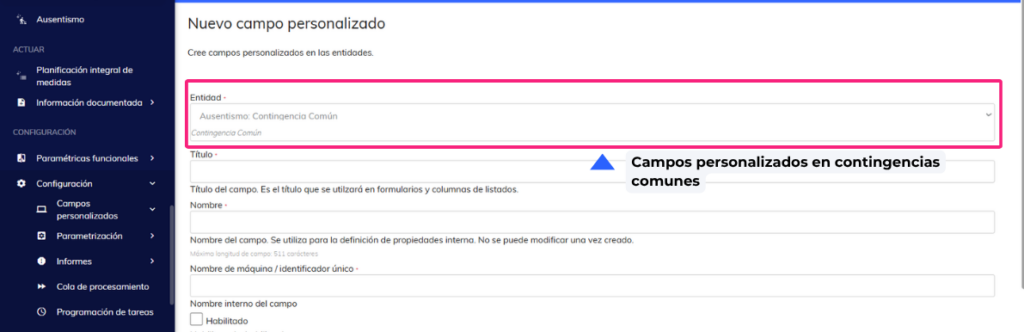
- Custom fields in common contingencies. Adding custom fields is allowed in common contingencies.
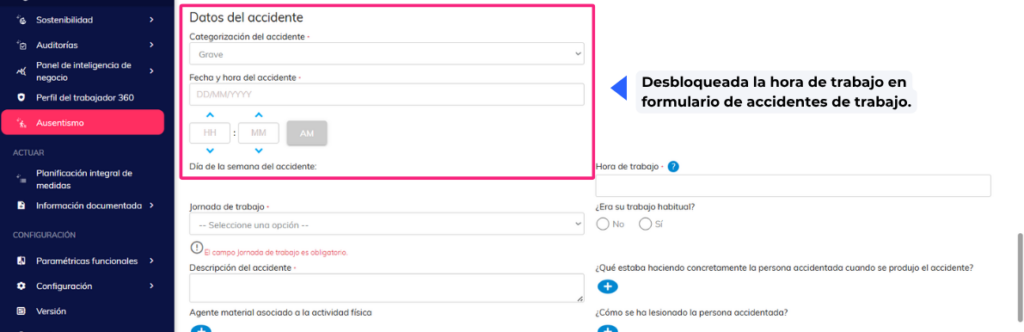
- Unlock work hours in the AT form. The “Work Hours” field is unlocked when the accident location is “In itinere”, allowing the value to be reported correctly.
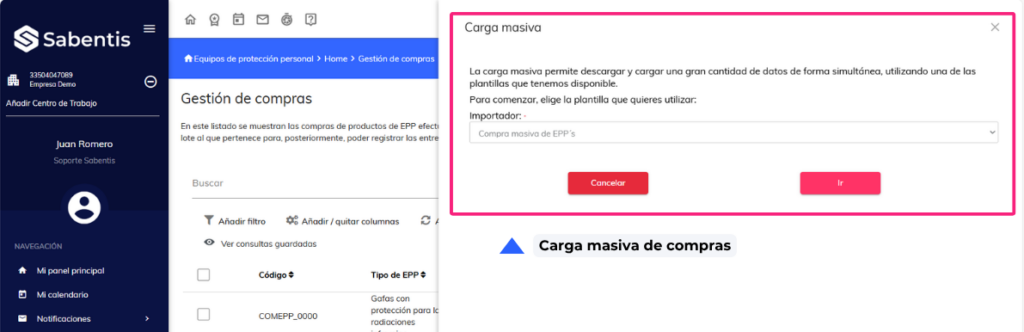
Personal protective equipment
- Bulk purchase upload. Allows the user to make bulk purchases of PPE from Purchase Management.
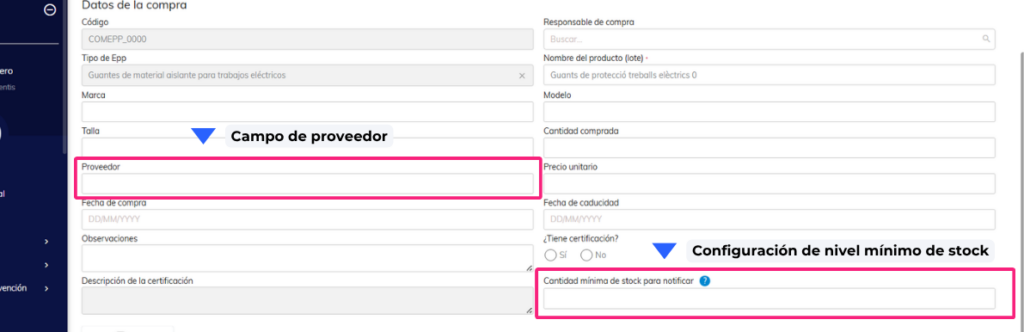
- Configure Minimum PPE Stock Level and Notification. A field is available to define the minimum stock quantity and configure alerts.
- Add supplier to the purchase list. The supplier column is now included in the Purchase Management list.
Ergonomics
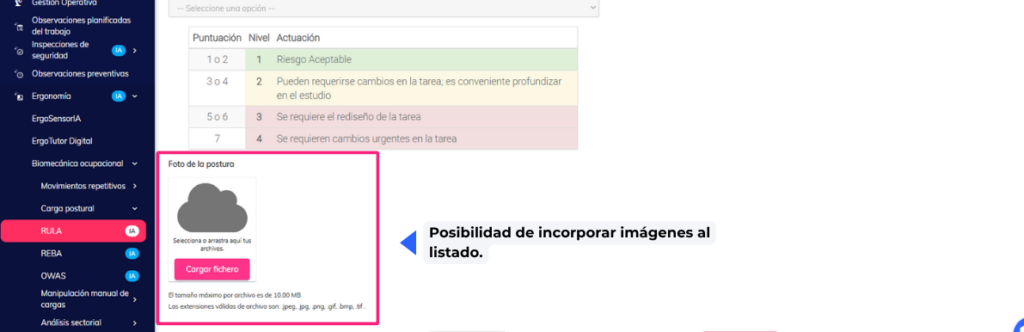
- The ability to add images to the list allows evaluator users to attach images to the posture assessment (RULA/REBA/OWAS).
Organizational Structure
- The ability to associate protective equipment with a custom functional location (ULF). Protective equipment can now also be associated with custom functional locations, not just centers or workplaces.
- Modify bulk upload of protective equipment. The bulk upload is expanded to include the new levels (Zone, Area, Surface).
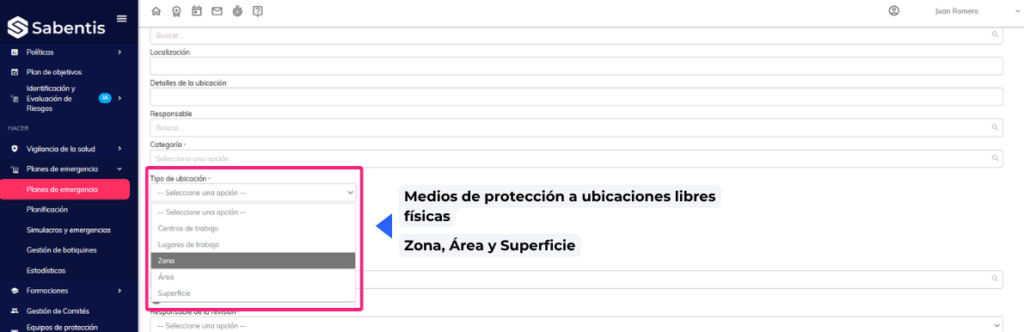
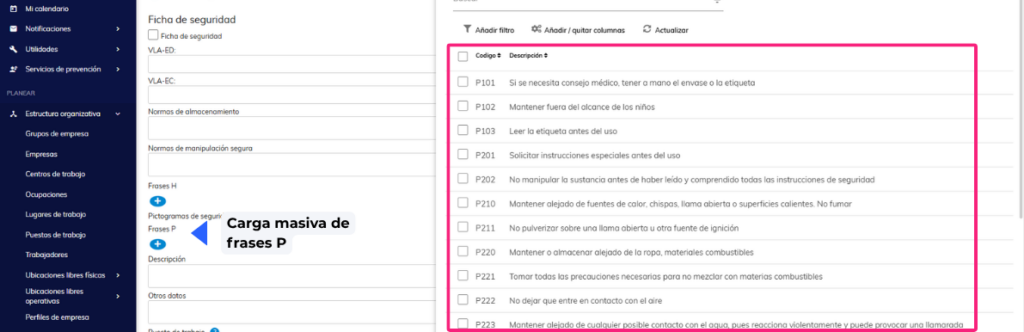
- Bulk upload of P-phrases to chemical agents. The bulk upload of chemical agents is improved by incorporating P-phrases.
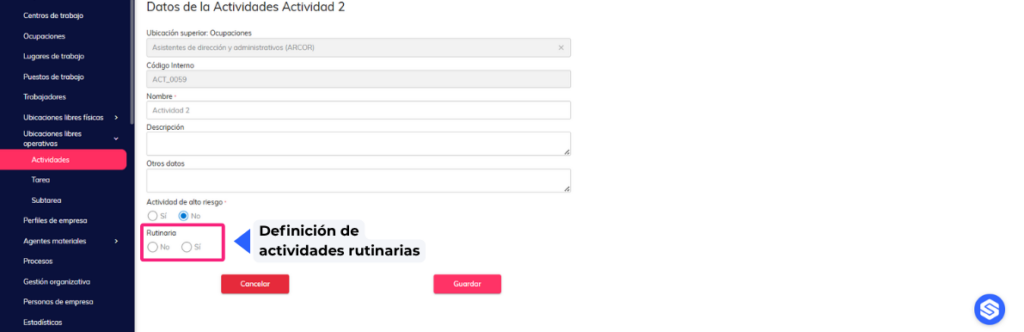
- Define whether the activity is routine or not. You can indicate whether a recorded activity is routine or non-routine.
Training
- Adding tags to certificates. Tags can be added during the certificate generation process.
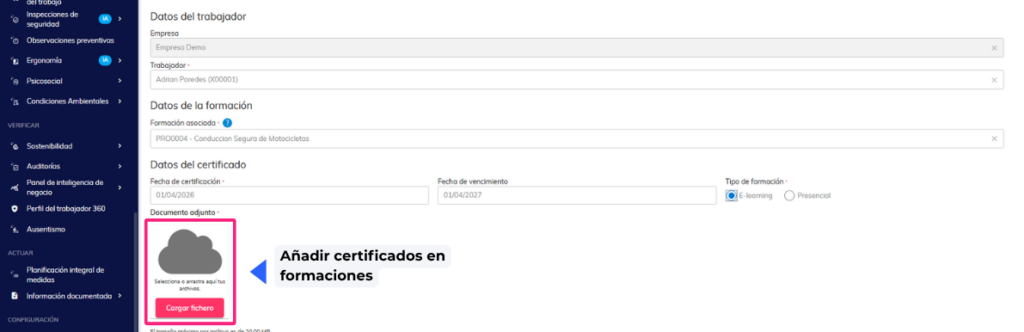
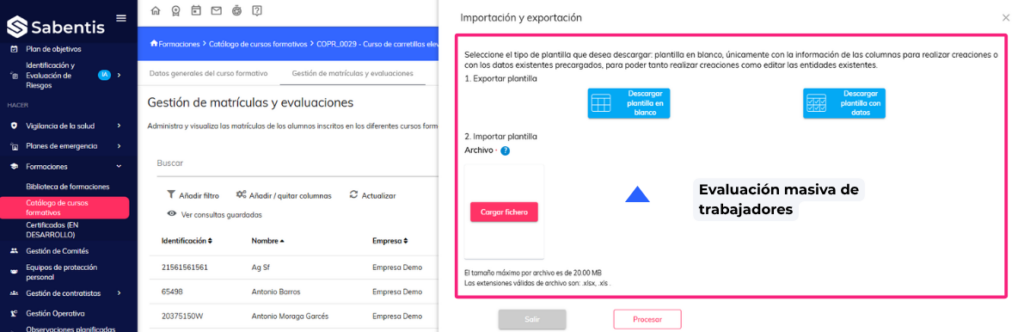
- Mass evaluation of employees. Allows for the simultaneous evaluation of multiple employees from the course catalog.
Committee management
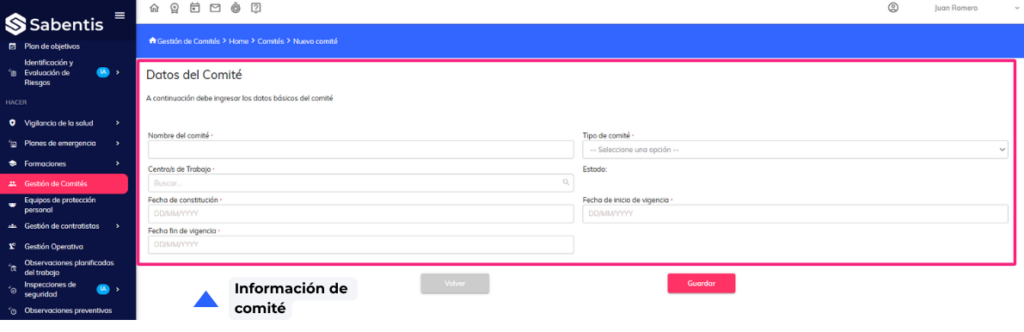
- Manage my committees. New “View my committees” permission that restricts visibility to only those committees where the user is an active member, complying with confidentiality requirements.
Contractor management | Coordination of business activities (CAE)
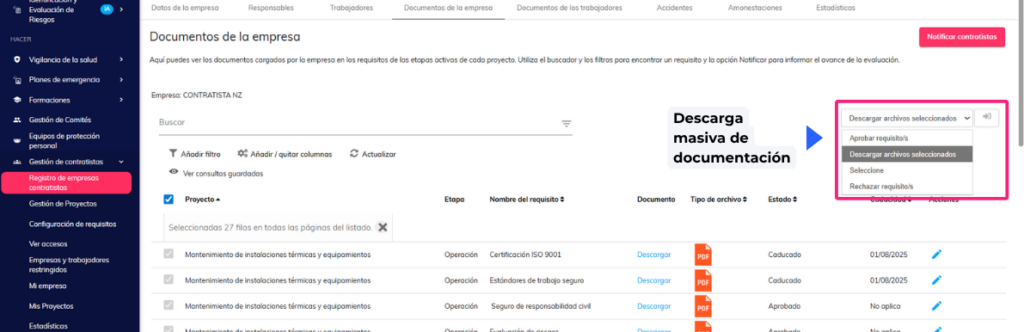
- Bulk document download. Bulk document download is now enabled in the contractor management module.
Risk identification and assessment
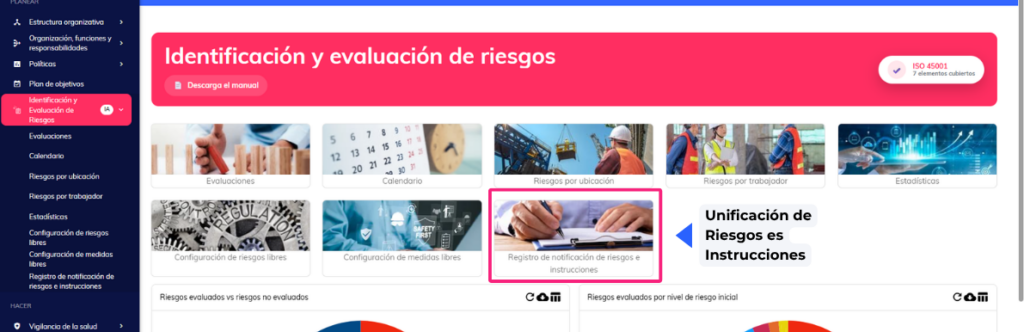
- Unification of the Risks and Instructions section in IER and IPER. The generation of risk and instruction documentation is unified between both modules.
- Bulk upload of standalone measures in IER. The functionality for bulk uploading standalone measures via Excel file has been incorporated.
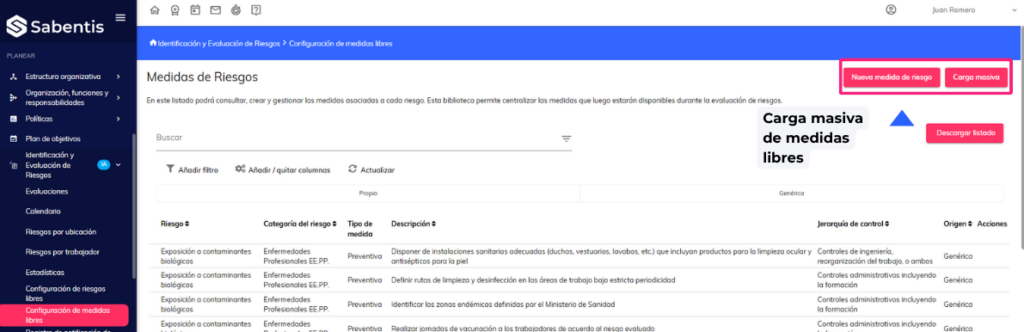
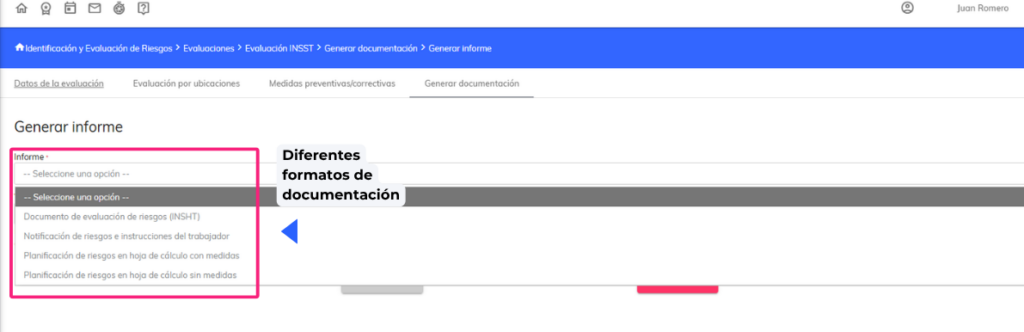
- Upload files in different formats – Generate documentation. Uploading other file formats is allowed when generating assessment documentation.
Safety inspections
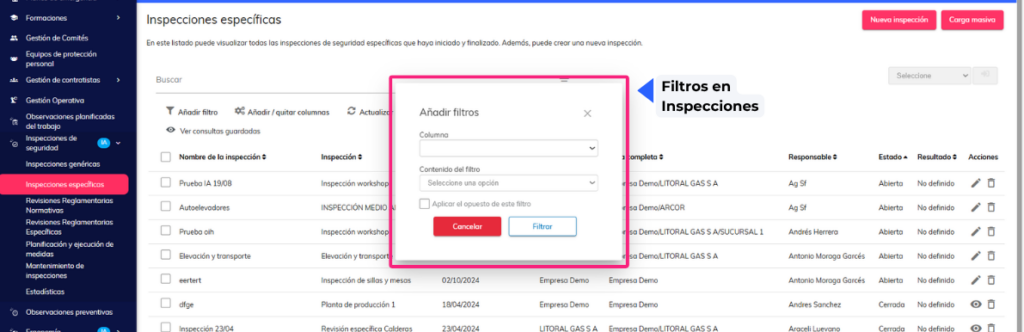
- Filter persistence in Inspections module listings. Applied filters are retained when navigating within the module.
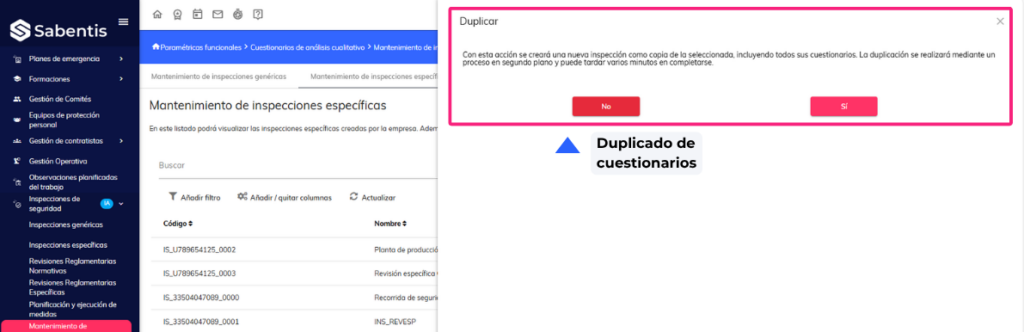
- Inspection Maintenance – Duplicate Questionnaires. Questionnaire duplication is allowed from the Inspection Maintenance section.
Preventive observations
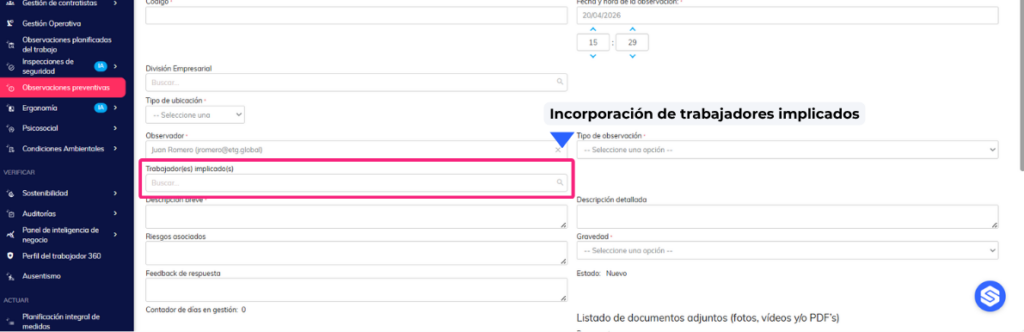
- Addition of the “Workers Involved” field. New field to record workers involved in a preventive observation.
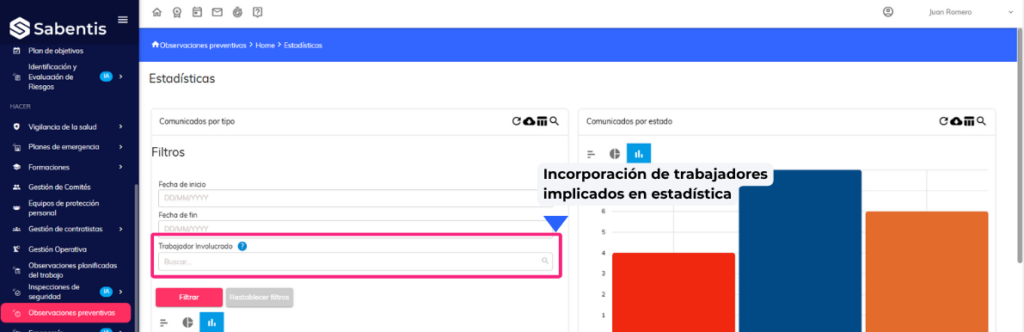
- “Worker Involved” filter in Preventive Observations Statistics. New filter in the “Observations by Type” graph to view observations by specific worker.
Emergency plans
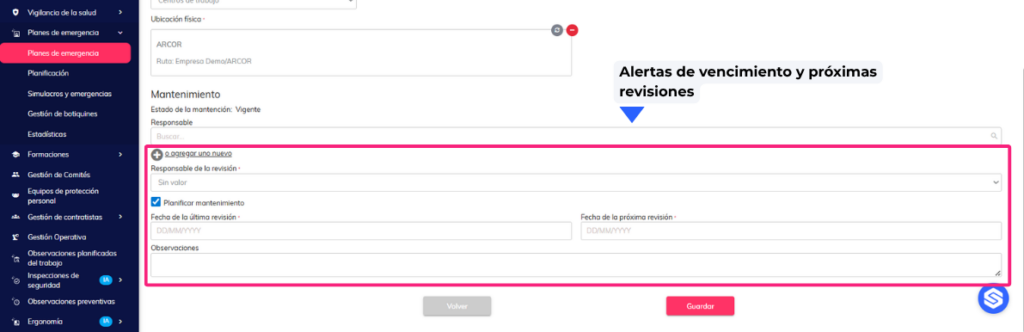
- Expiration alerts and upcoming inspections of personal protective equipment. Alerts are implemented for expiration dates and pending inspections of personal protective equipment and first aid kits.
- The ability to associate protective equipment with a ULF (custom functional location). It is permitted to register protective equipment in custom functional locations within the emergency plan.
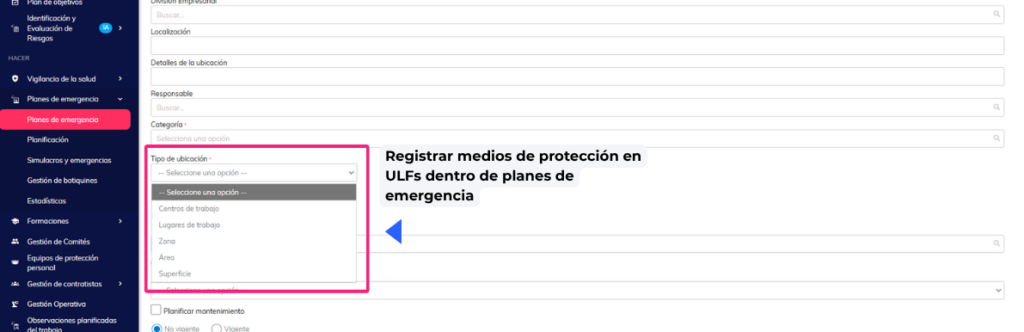
- Modify bulk upload of protective equipment. The bulk upload is expanded to include new location levels (Zone, Area, Surface) and restricted to the Work Center of the plan.
Comprehensive planning of measures
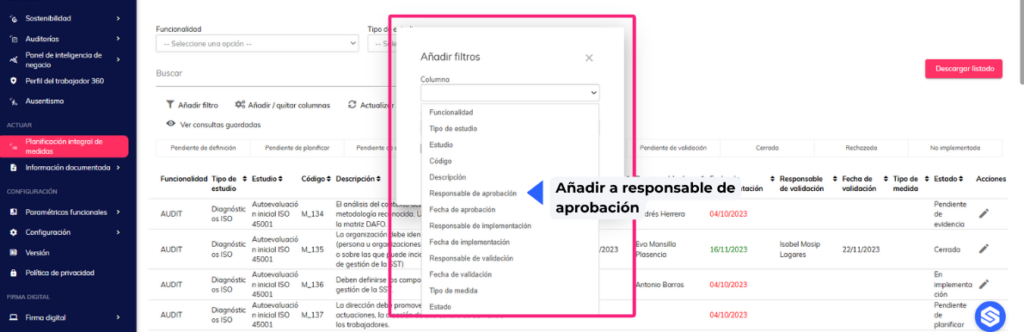
- The ability to filter by responsible parties (approval and validation) has been added to the list. Filters for approval and validation managers have been incorporated.
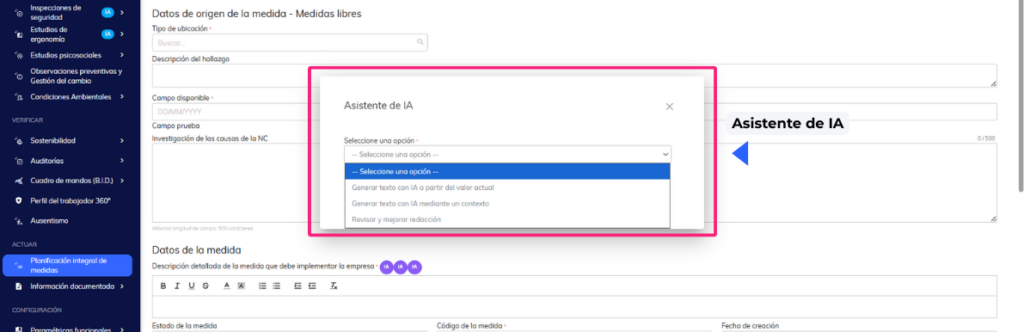
- Use of AI to draft preventive/corrective measures. Artificial intelligence assistance is incorporated to generate and improve text in measure fields.
Health surveillance
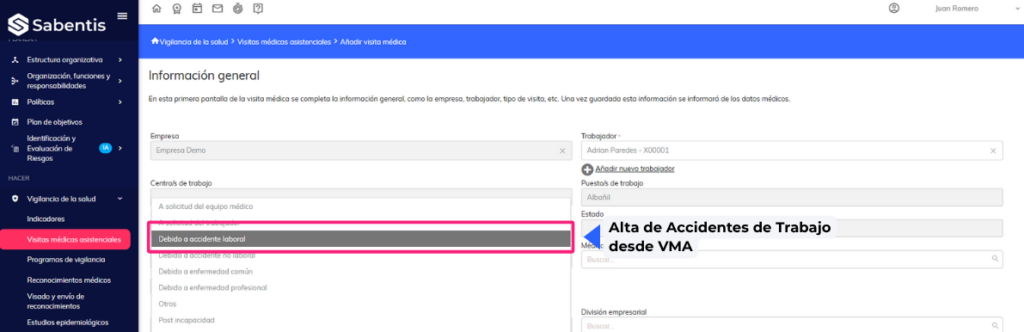
- Work Accident Registration from VMA (view or assign PT, LT and ISCO). Work accidents can be registered directly from the medical care visit form.
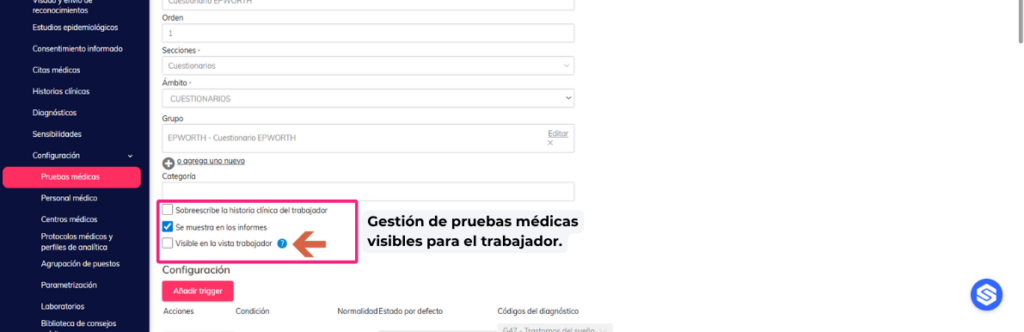
- Management of medical tests visible to the employee. It allows you to configure which medical tests are visible to the employee while the appointment is pending.
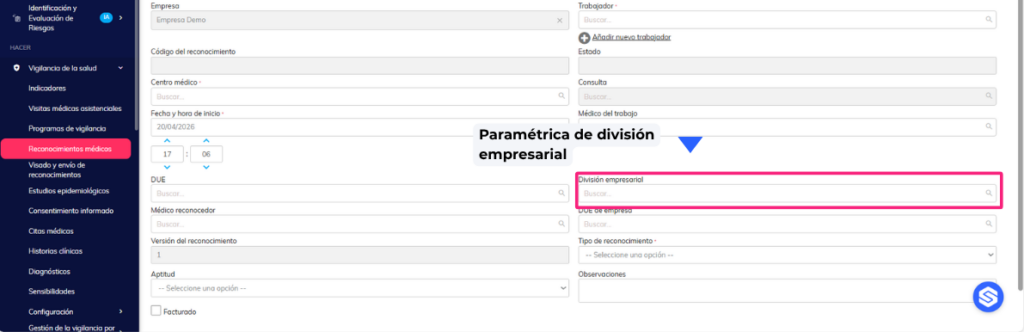
- Add the “business division” parameter. The “business division” field is added to the medical examination and healthcare visit forms.
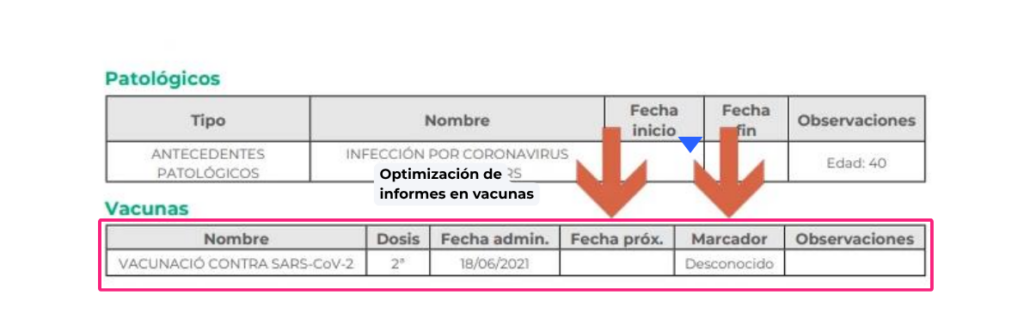
- Report improvements. Vaccine reports for medical examinations and healthcare visits have been improved.
16 February 2026
Version 6.33
Sabentis Prime Update: Version 6.33
Absenteeism
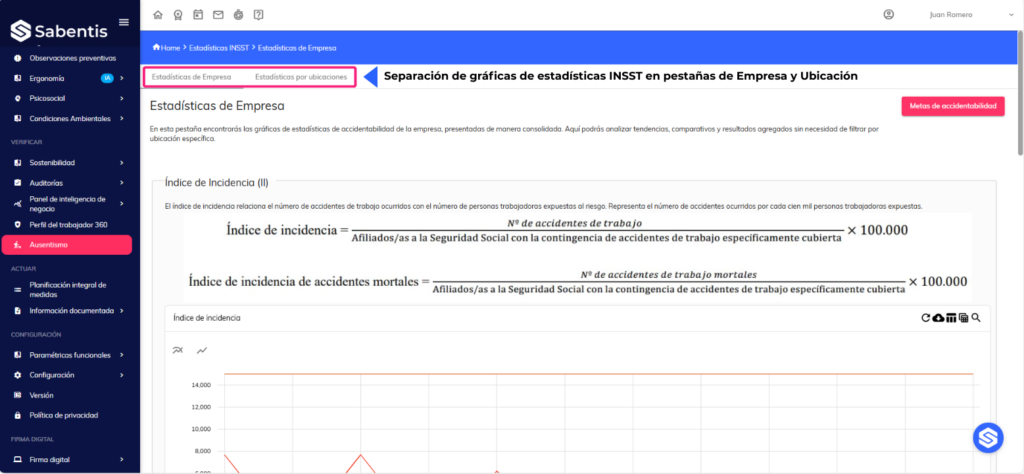
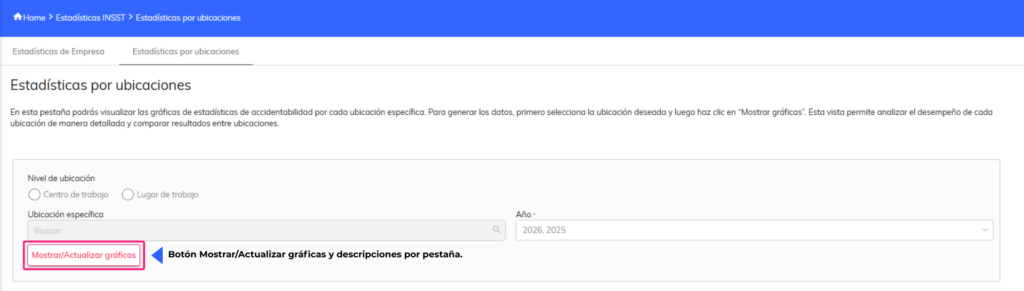
- Separation of INSHT statistics graphs into Company and Location tabs, with a Show/Update button for graphs and descriptions per tab.
- Incorporation and reorganization of columns in the list of Work Accidents (Work Center, Type of location, Physical location and others), with a new order and columns visible or available.
Ergonomics
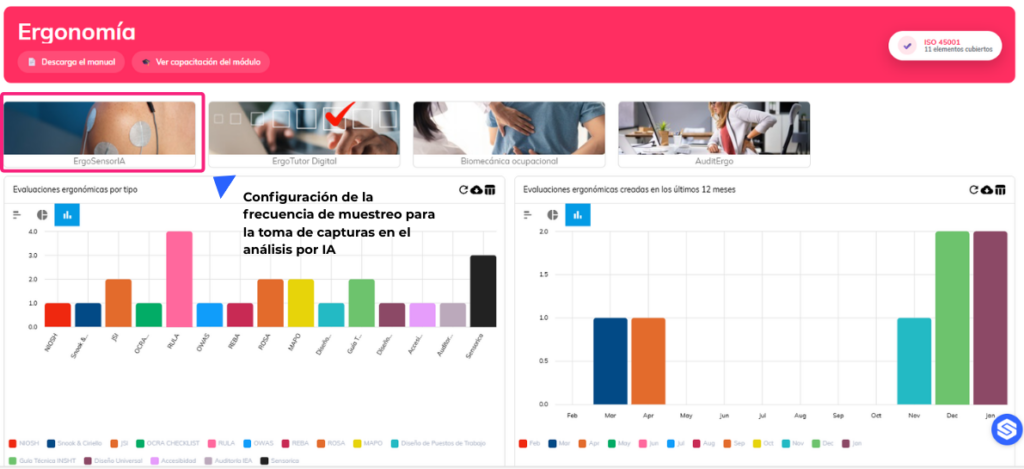
- Setting the sampling frequency for taking captures in AI analysis (images per second or every N seconds).
Organizational Structure
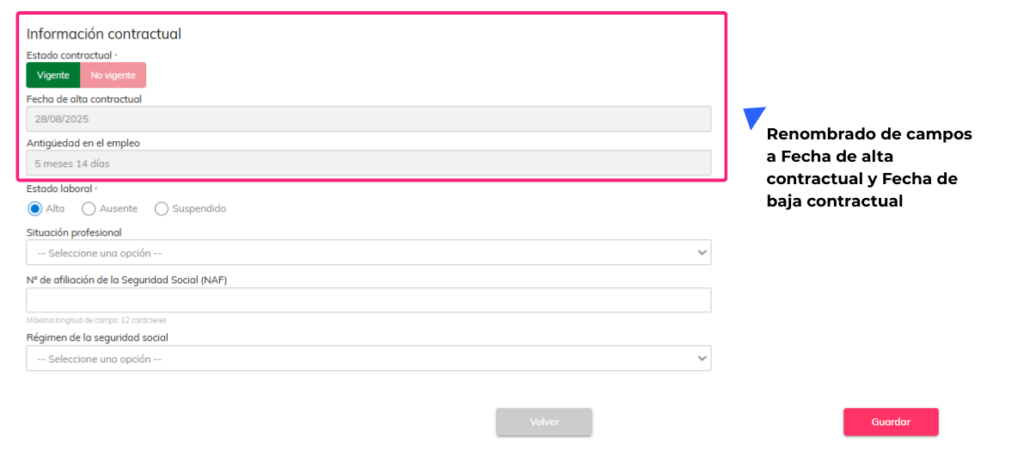
- Modification of the employee record: renaming of fields to Contractual start date and Contractual termination date, reorganization when on leave and columns available in lists.
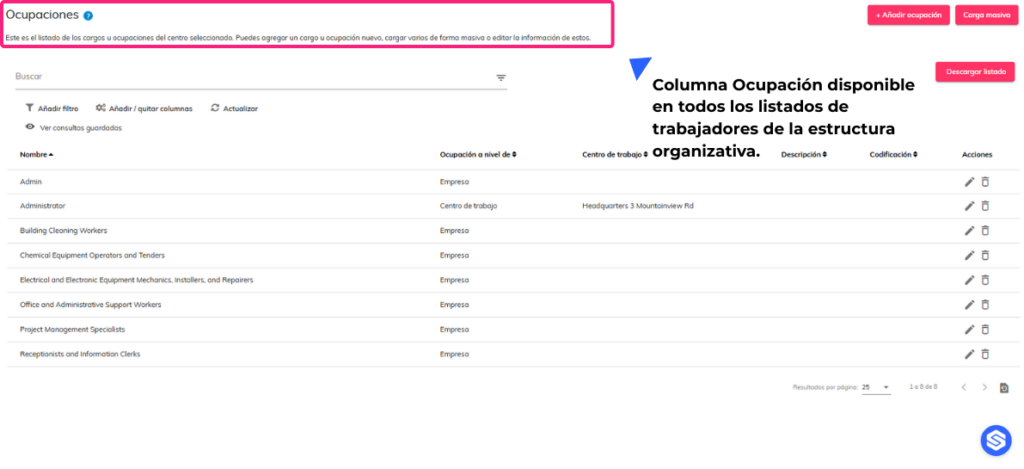
- The Occupation column is available in all employee listings within the organizational structure.
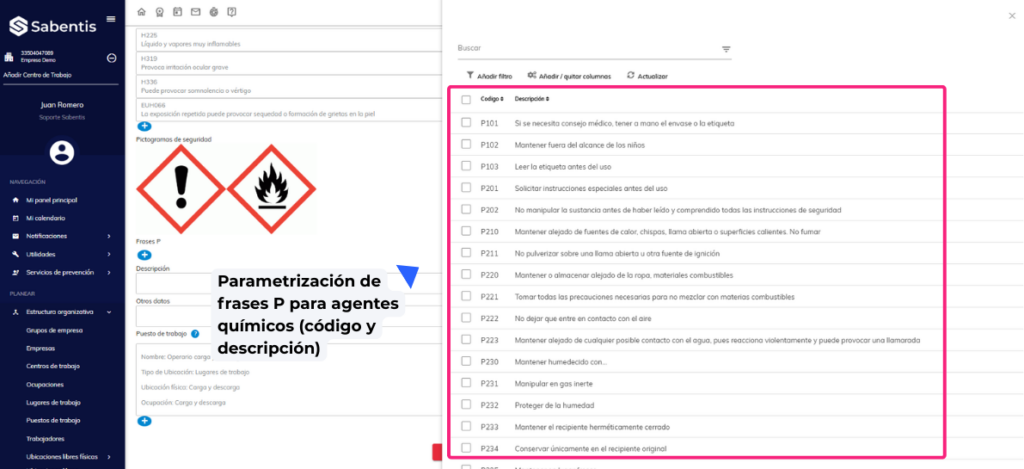
- Parameterization of P phrases for chemical agents (code and description), with selector in the form similar to H phrases and management from configuration.
Committee management
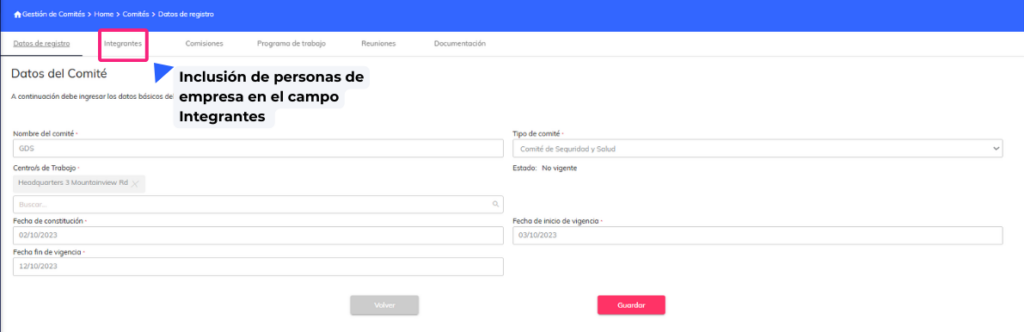
- Inclusion of company personnel in the field. Members of the committee management module.
Risk identification and assessment
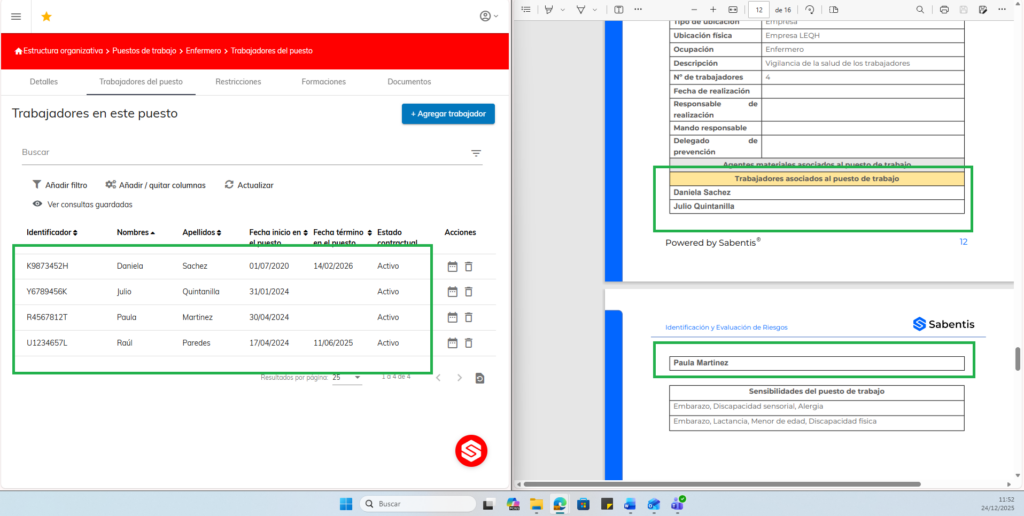
- Incorporation of the tag of workers associated with the job position in the risk assessment documentation reports (INSHT, FINE, GTC45, NTP330), showing only workers with an active relationship.
Safety inspections
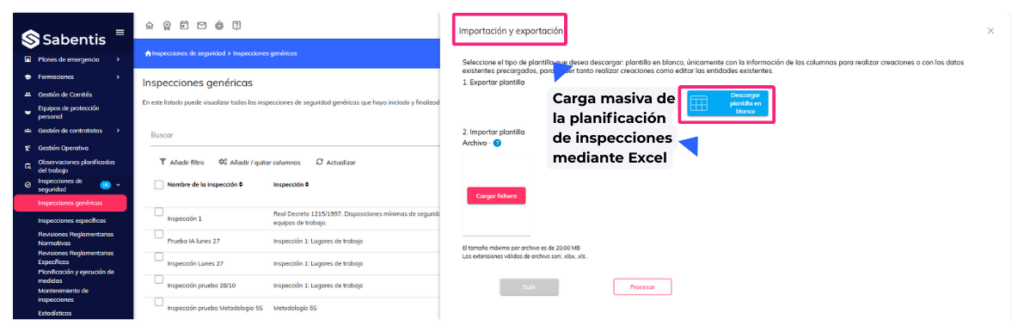
- Bulk upload of inspection planning using Excel, with date/time validation and consistency between start and end dates.
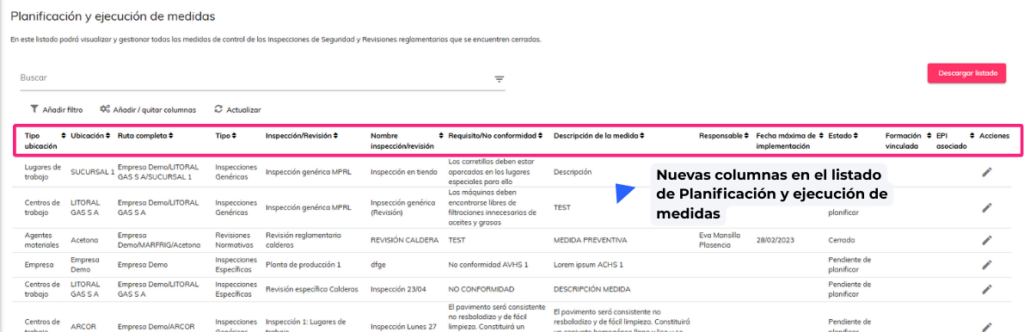
- New columns in the Planning and Implementation of Measures list.
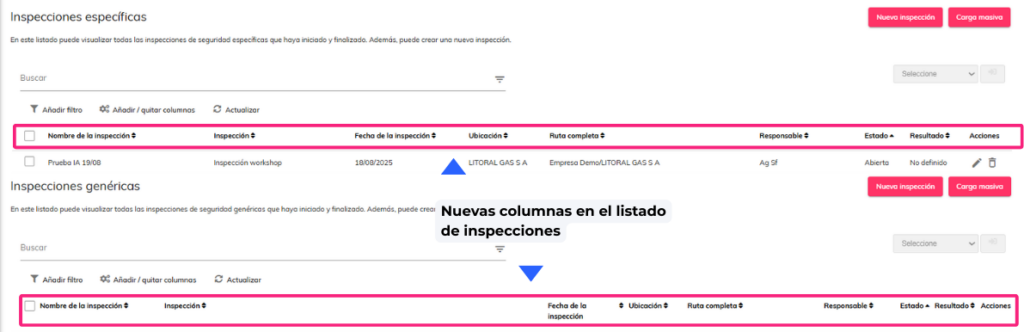
- New columns in the inspection list.
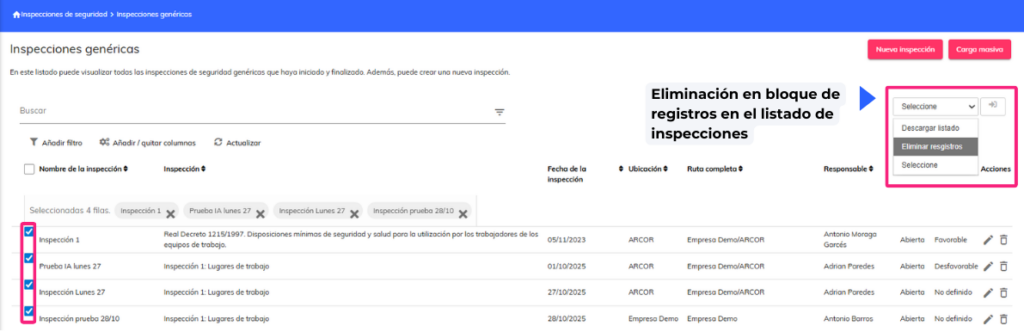
- Bulk deletion of records in the inspection list.
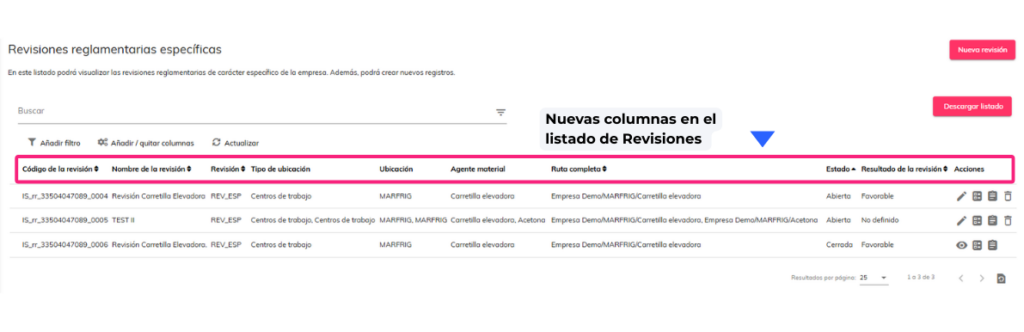
- New columns in the Revisions list (Revision, Location Type, Location, Full Path, Top Location), column visibility adjustment and filters.
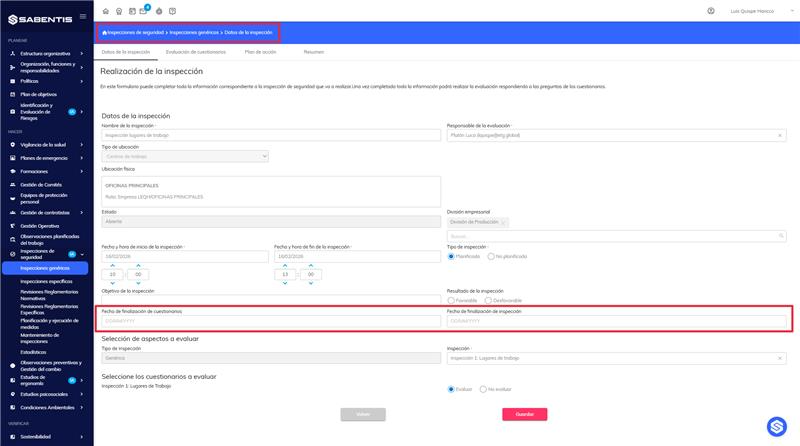
- Editing the inspection form according to permission and status (open, questionnaires completed, inspection completed), with management of changes in questionnaires to be evaluated.
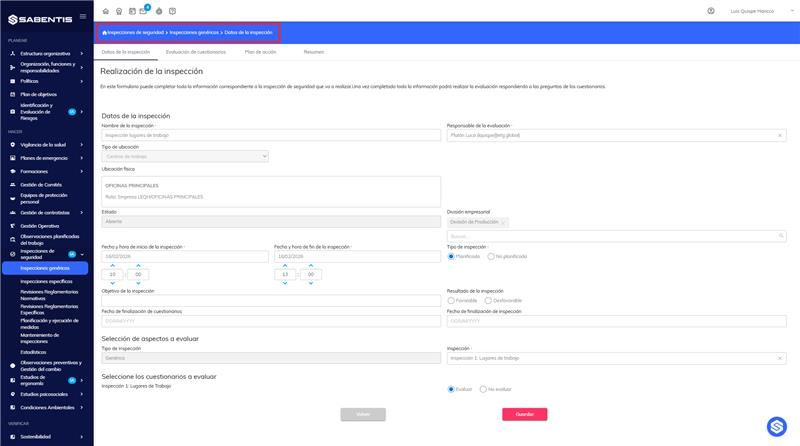
- Incorporation of the questionnaire completion date and inspection completion date into the inspection form and list, as well as the corresponding tags to include them in the report.
Preventive observations
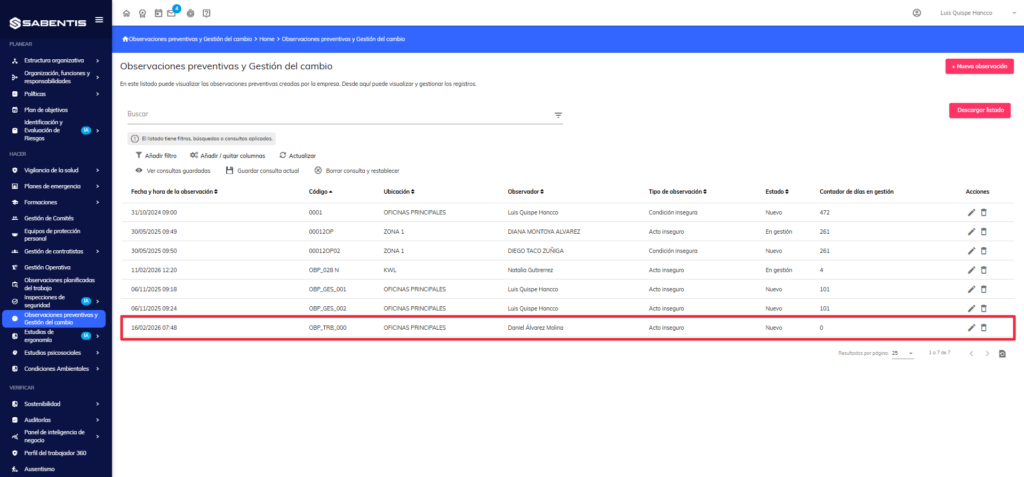
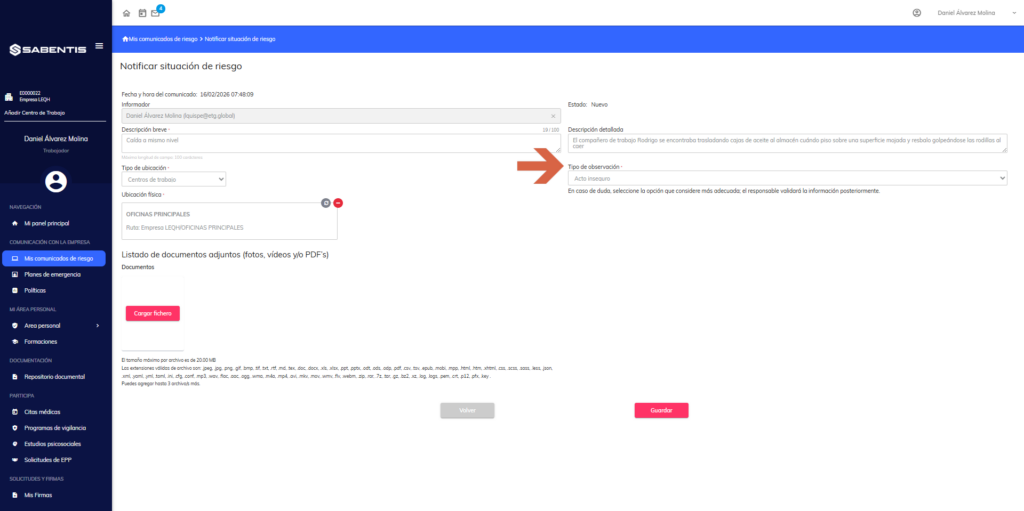
- Changes to risk notification from the worker view: mandatory observation type field and automatic generation of the observation code (OBP_TRB_XXX format).
Comprehensive planning of measures
- Real-time automatic calculation of total costs (estimated and actual) of the measures as a sum of individual costs, with updates when editing and the possibility of entering a manual total.
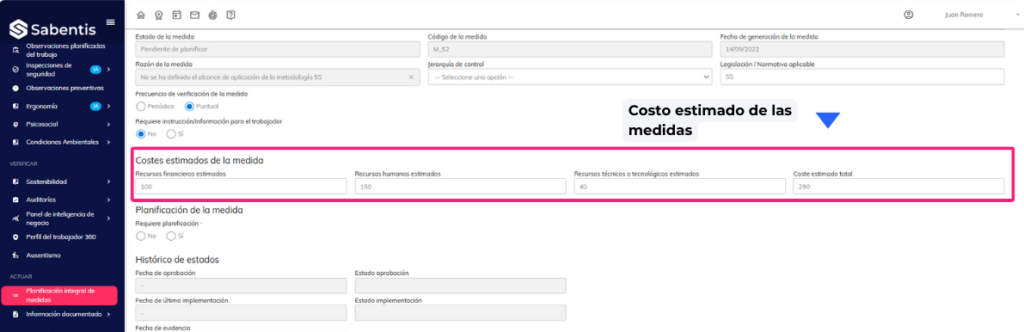
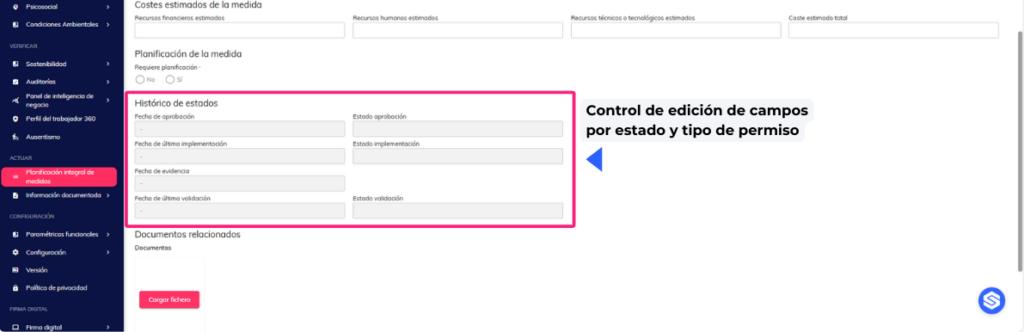
- Field editing control by status and permission type: new permission Partial management of measures and renaming of the current one to Global management of measures, with locks according to flow status.
Emergency plans
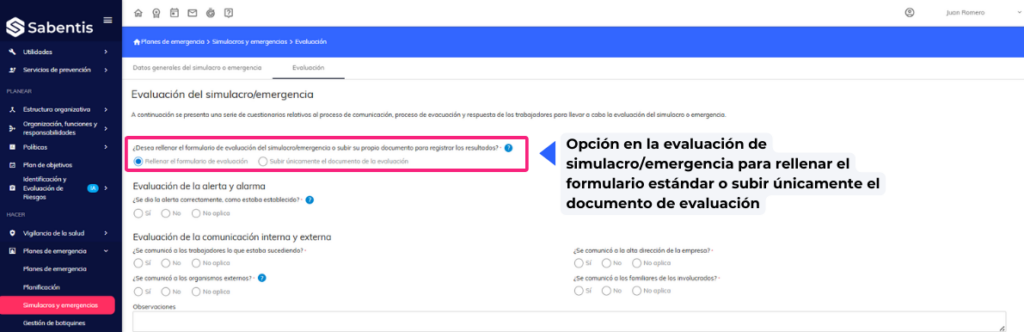
- Option in the drill/emergency evaluation to fill out the standard form or upload only the evaluation document, with file upload and observations.
Employee Portal
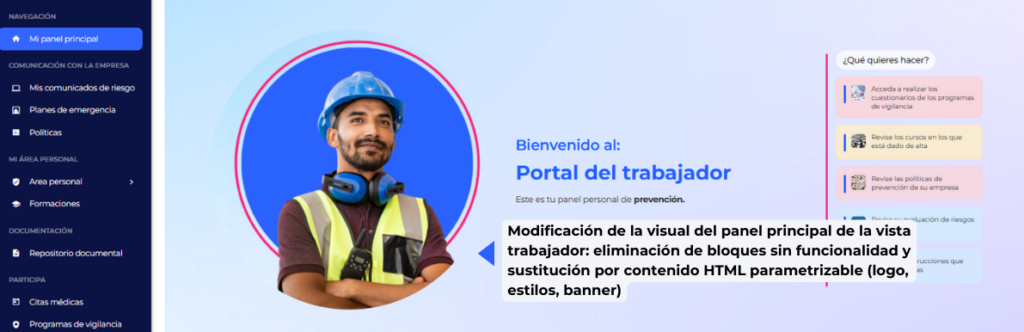
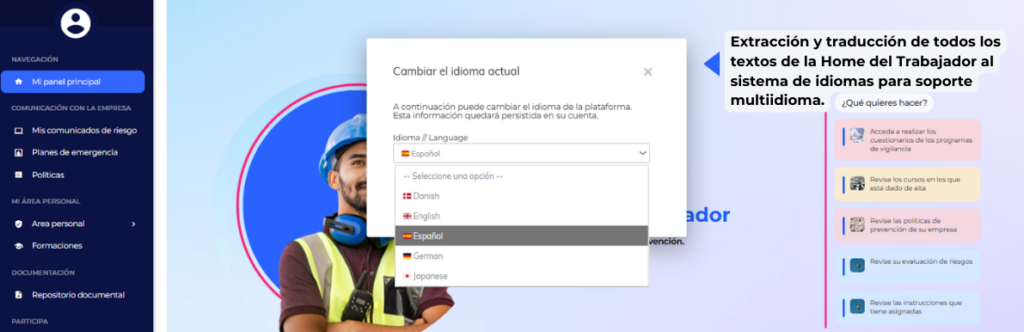
- Modification of the visual appearance of the main panel of the worker view: removal of blocks without functionality and replacement with parameterizable HTML content (logo, styles, banner).
- Extraction and translation of all texts from the Employee Home page to the language system for multi-language support.
Health surveillance
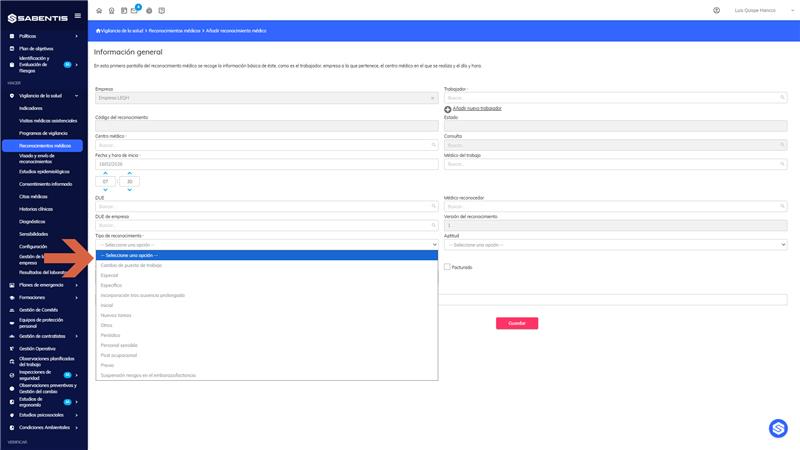
- Creation of YML for the type of medical examination (RM), allowing defining and managing values from configuration and replacing the enum with parameterization.
24 December 2025
Version 6.32
Sabentis Prime Update: Version 6.32
Personal protective equipment
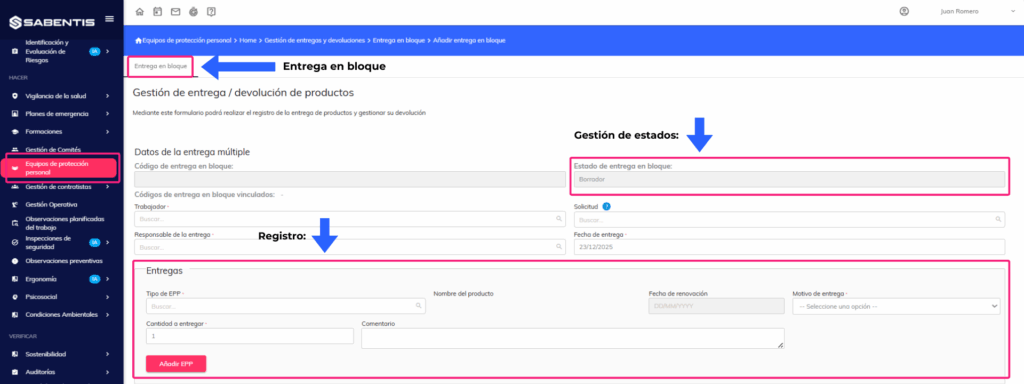
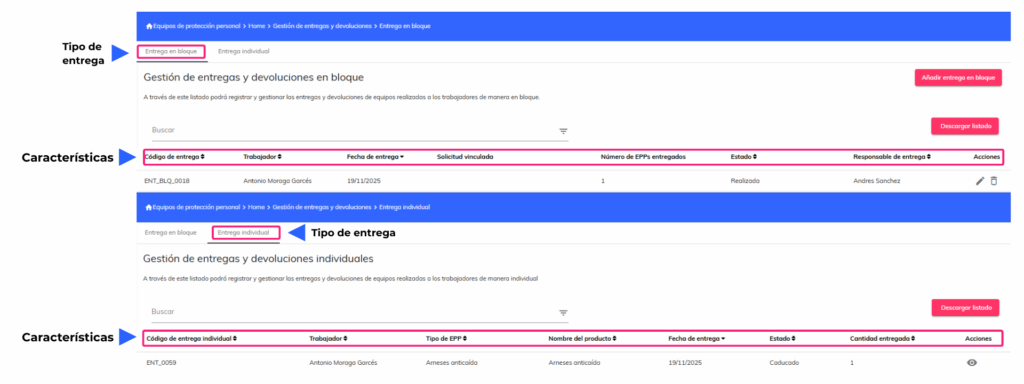
- New bulk PPE delivery workflow that allows for mass deliveries of multiple items in a single record, whether or not linked to a request. It includes status management (Draft, Pending Signature, Completed, Completed – Partial/Full Return) and automatic creation of individual records for each item of PPE delivered.
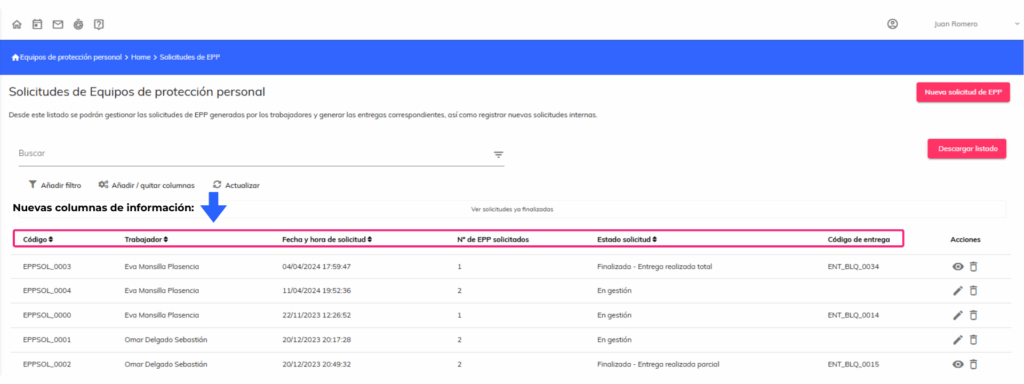
- Modification of the PPE request list with new columns: request code, worker, requester, delivery person responsible, date and time of request, number of PPE requested, request status and delivery code linked to bulk deliveries.
- New bulk delivery list with separate management of individual and grouped deliveries. Includes separate tabs, updated statuses, and validations for editing and deletion based on the delivery type.
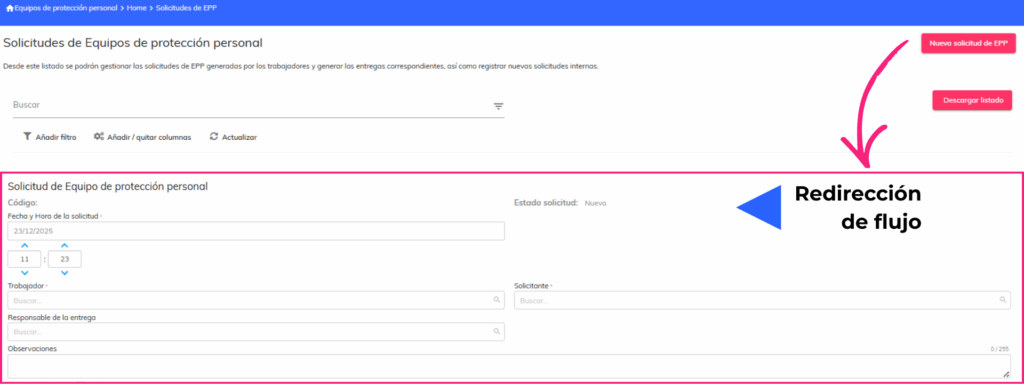
- Changes to the PPE request flow with integration to the new bulk delivery system. Individual delivery buttons have been removed, and requests are redirected to the bulk delivery flow once approved.
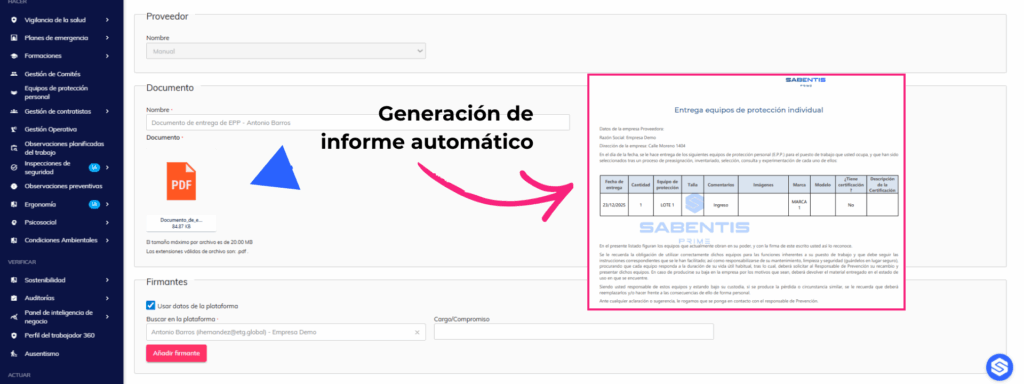
- Automatic generation of PPE delivery reports and submission for digital signature after a bulk delivery. The system generates the document and automatically creates the signature request with the employee’s information and job title.
Ergonomics
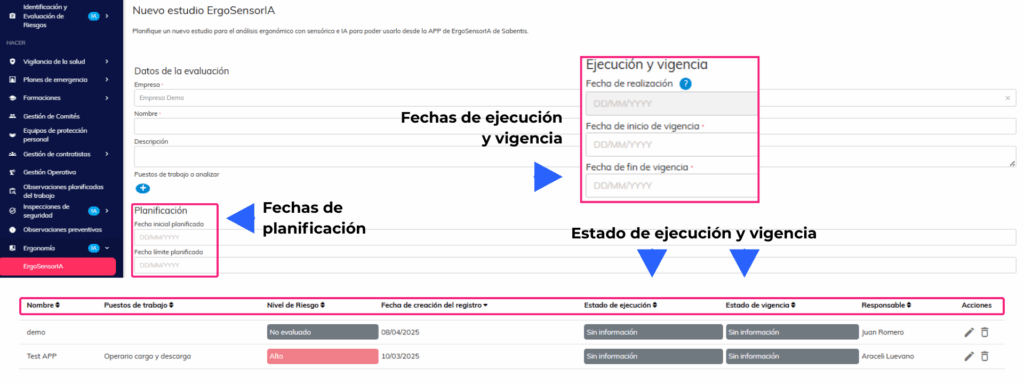
- Add planning dates to ergonomic study forms with new fields for planned start date, planned end date, completion date, effective start date, and effective end date. Includes execution statuses (No information, Pending, On time, Overdue, Completed) and validity statuses (Open, Active, Expired).
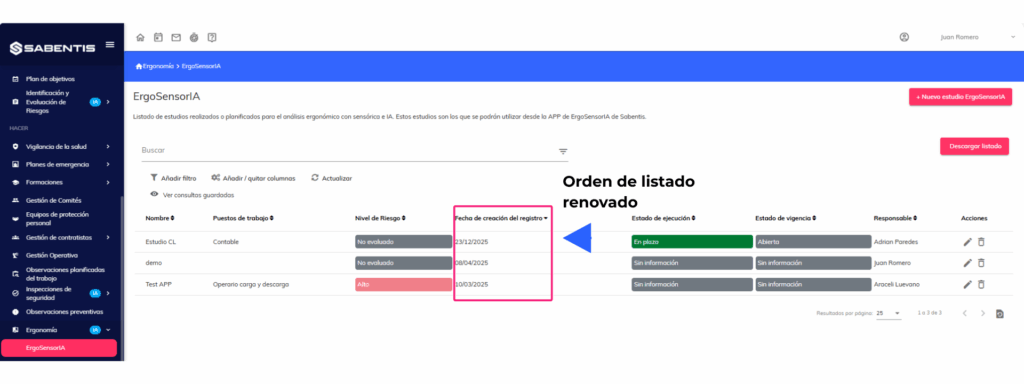
- Order the studies in the default listings in reverse chronological order (most recent first) to facilitate access to the most current studies.
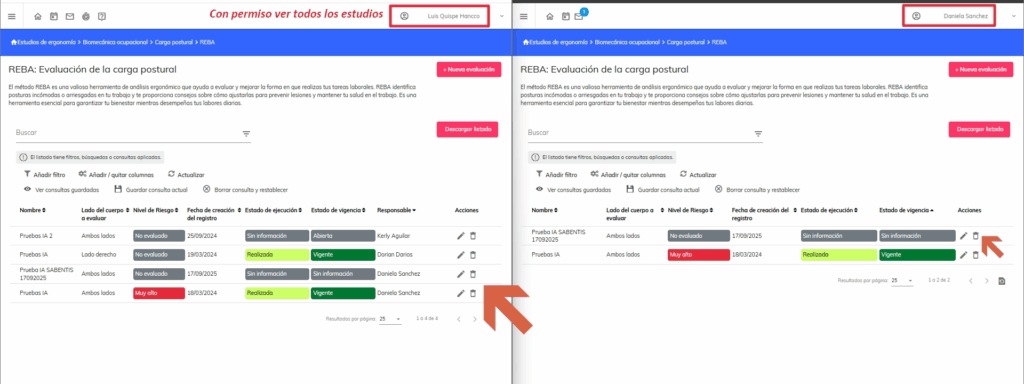
- Visibility of ergonomic studies is restricted to users who have their own studies and are not administrators. A “View all ergonomic studies” permission is created for users who require full access.
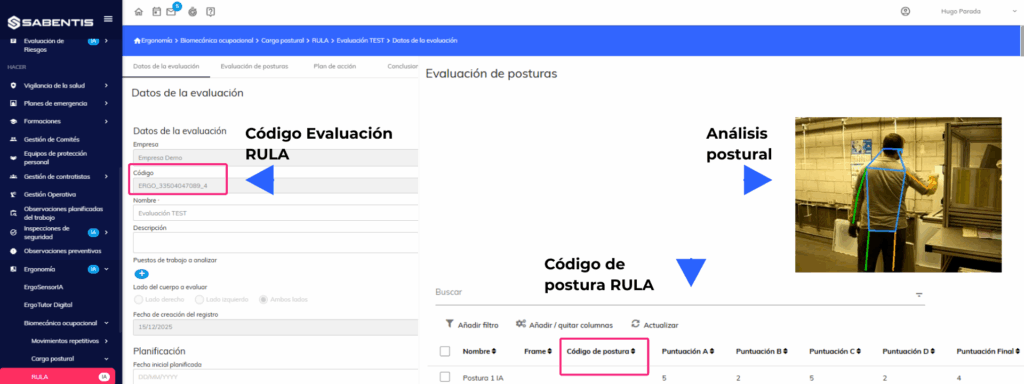
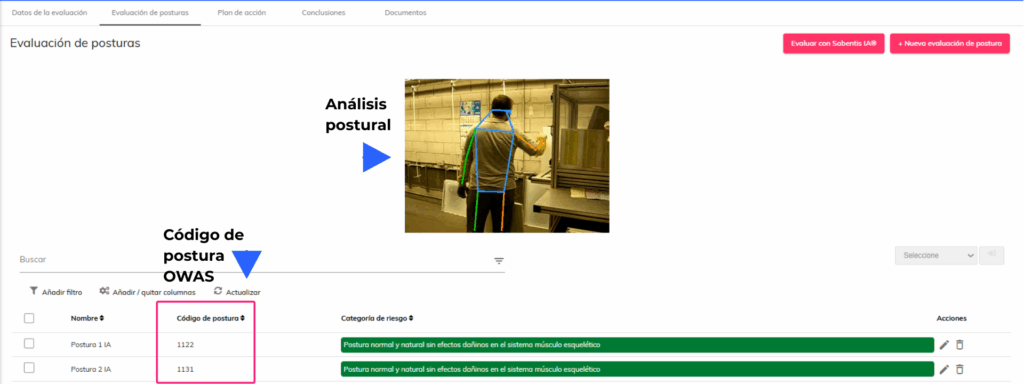
- Add posture code to the RULA methodology with automatic code generation based on the values selected for each item. The code is displayed in the form and the list, updates in real time, and is included in reports and exports.
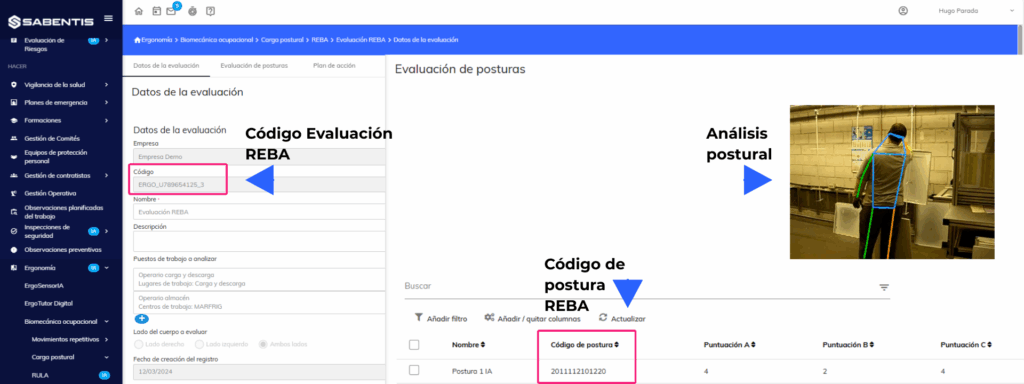
- Display the posture code in the list in a way that is visible to REBA. The column is renamed to “Posture Code” and remains visible both in the form and in the list, updating dynamically when values are modified.
- Adjustments were made to the OWAS posture code to display the “?” character for missing values. The “Coding” column was renamed to “Posture Code” and remains visible in the list.
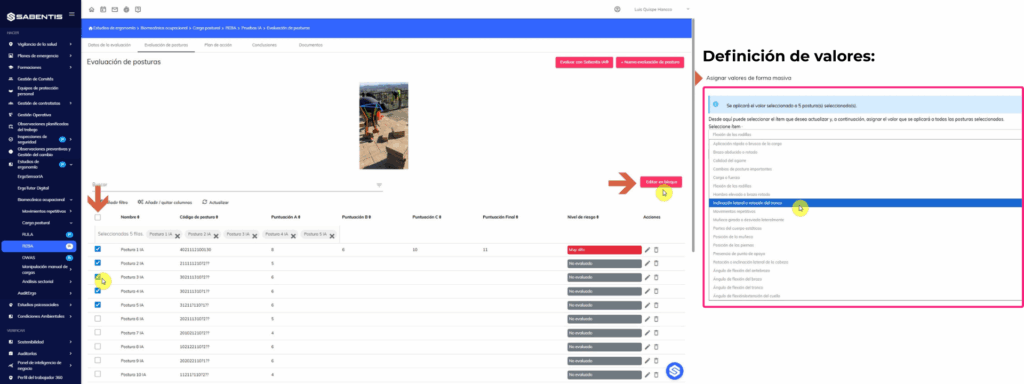
- Define values in bulk for the REBA, RULA, and OWAS methodologies. This allows you to select multiple postures and assign values to specific items in bulk, automatically updating posture codes and recalculating scores.
Health surveillance
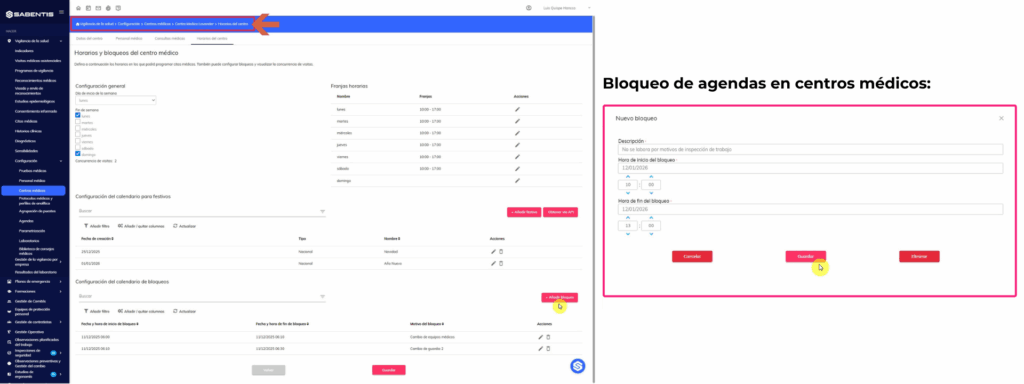
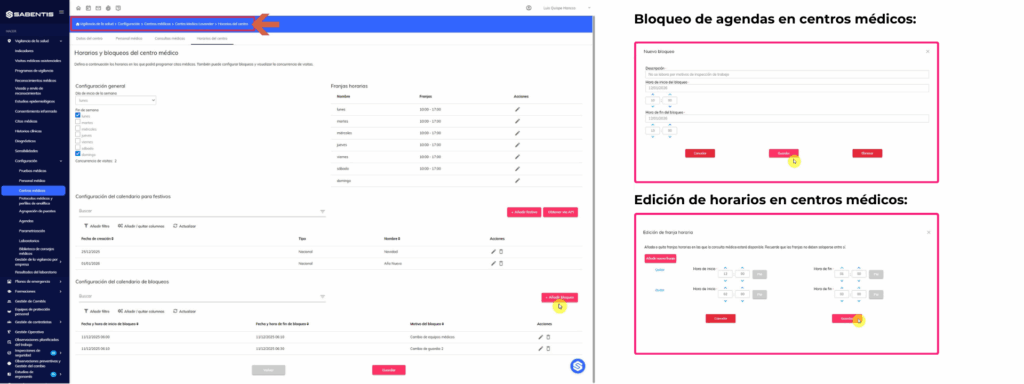
- Usability improvements to medical center appointment schedules with day-based blocking configuration. Allows manual blocking with start and end dates and times, and reason for blocking, with validation to prevent overlapping blocks.
- Company-level RM/VMA duration configuration with options of 15, 20, 30, or 60 minutes. This configuration affects the allocation of time slots in medical appointment schedules.
- Medical consultations with the option to define a specific calendar and hours for each consulting room. It allows you to configure different times per day, define time slots, and assign blocked appointments, with validation to ensure they do not exceed the medical center’s hours.
Risk identification and assessment
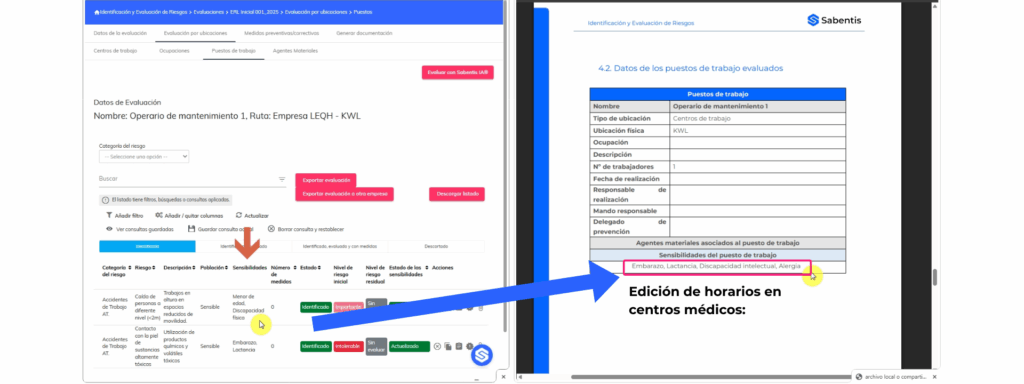
- The risk assessment report has been modified to include job sensitivities and comprehensive action planning. A sensitivity table has been added to the Job section, and a new section, “PLANNING OF PREVENTIVE ACTIVITIES,” has been added at the end of the report.
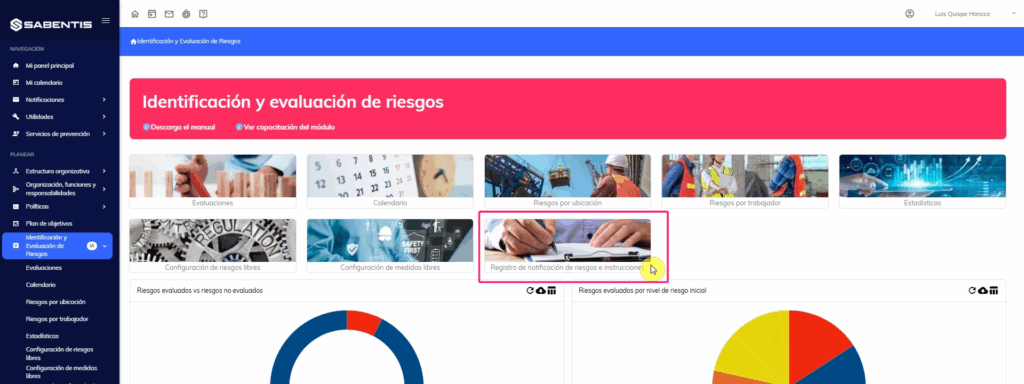
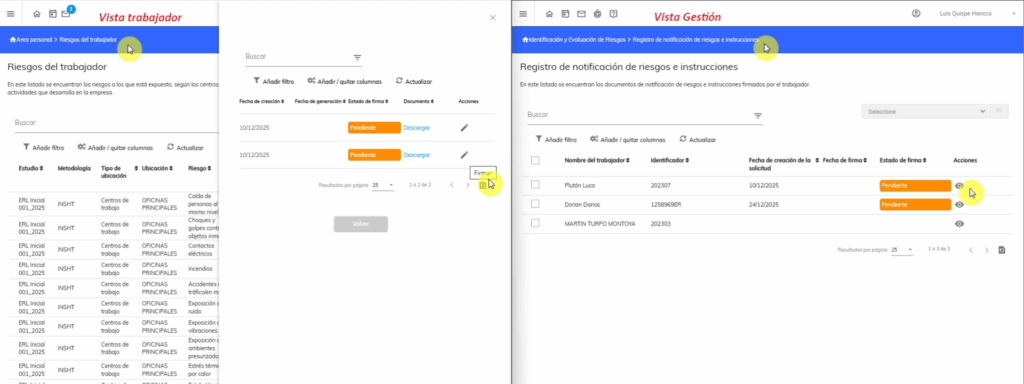
- Create a card view for the risk notification and instructions log administrator. This allows you to manage risk notification documents signed by workers, generate reports in bulk, send notifications for signatures, and delete pending reports.
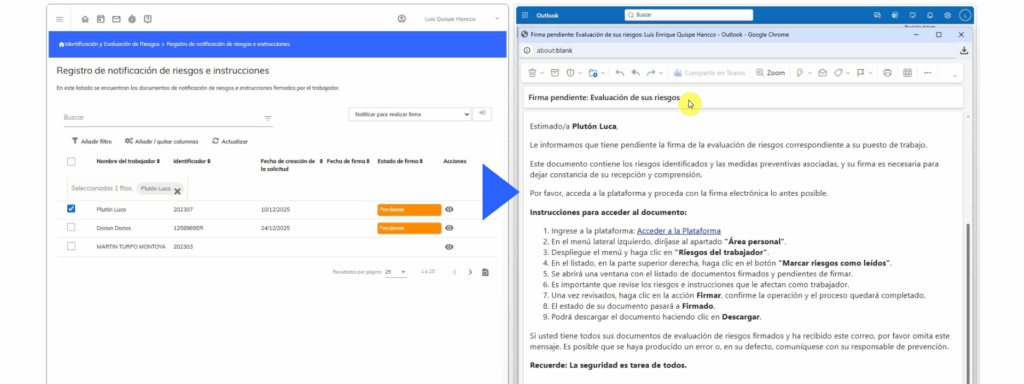
- General notification to employees regarding the need to sign off on associated risks. This notification is automatically sent after the “Notify to sign” action, with detailed instructions for accessing and signing the document.
Comprehensive planning of measures
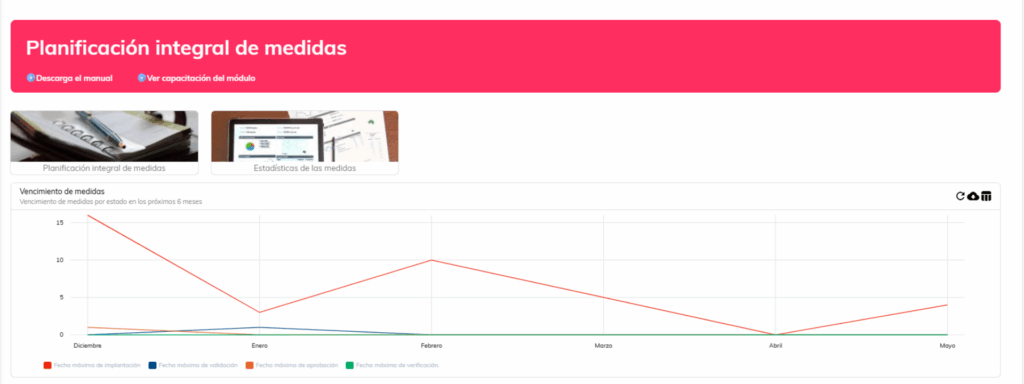
- Management of measures with periodic (continuous) verification frequency. Allows you to define the review frequency, assign responsibility for periodic verification, and generates automatic verification tasks. Includes a review history section, a new “Pending Periodic Review” status, and automatic notifications when the scheduled date is reached.
- Define permissions for managing assigned responsibilities in actions. Implement a restrictive workflow where only those responsible for each phase (Approval, Implementation, Validation) can manage their corresponding phase. Includes company-wide configuration to enable or disable these restrictions.
Employee Portal
- Modify the behavior of the risk notification document in the employee view. The “Mark risks as read” button now displays a list of notification reports with statuses (Pending signature, Signed) and allows you to download and sign documents directly from the list.
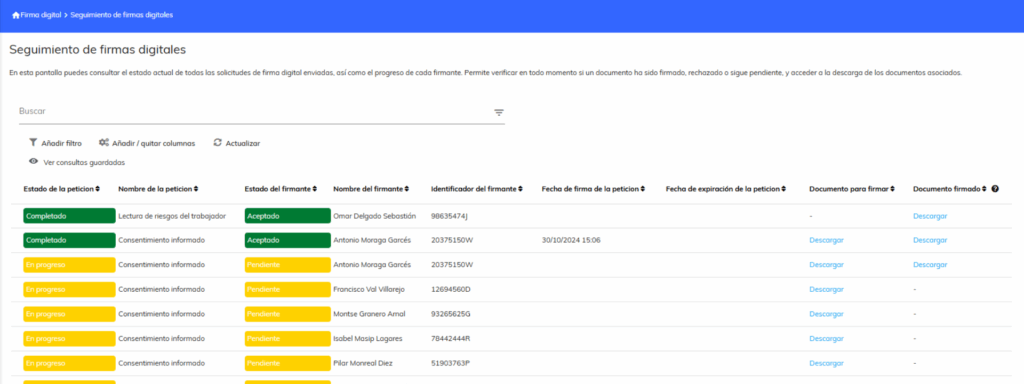
Digital signature
- Add digital signature to the audit module. This allows you to send generated documents for digital signature from the document generation list.
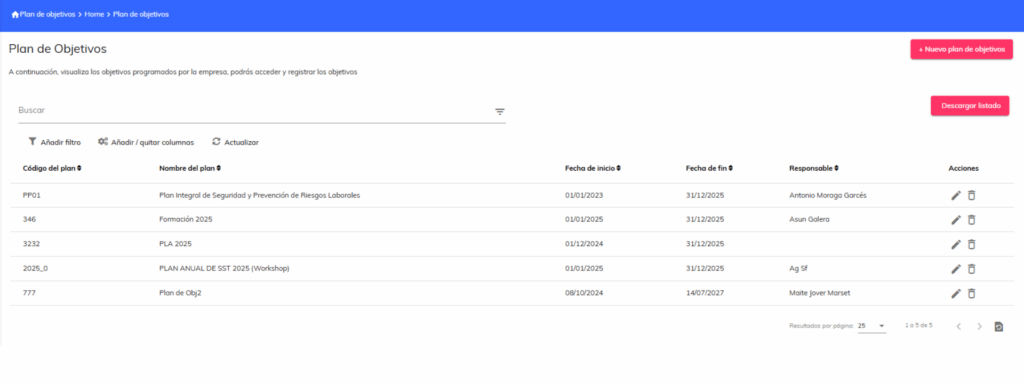
- Add digital signature to the goals plan module. This allows you to send documents for digital signature from the goals plan document list.
Organizational structure
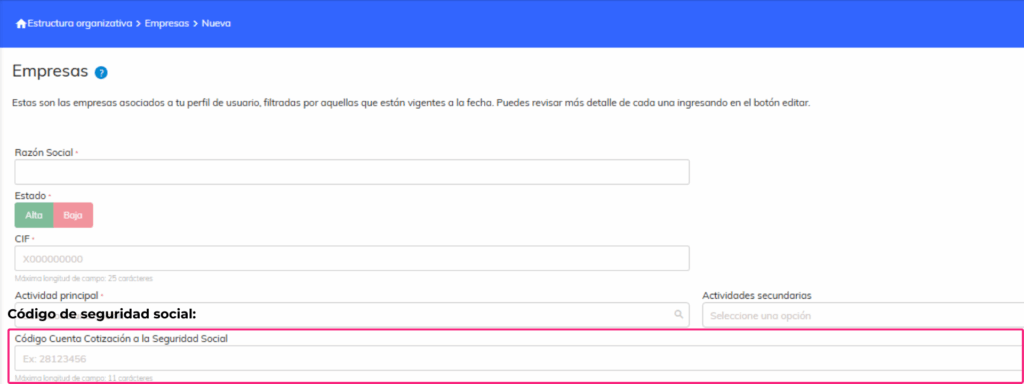
- Create fields in the company form for the delt@ application. The field “Social Security Contribution Account Code” (numeric, 11 digits) is added to comply with the requirements of the delt@ report.
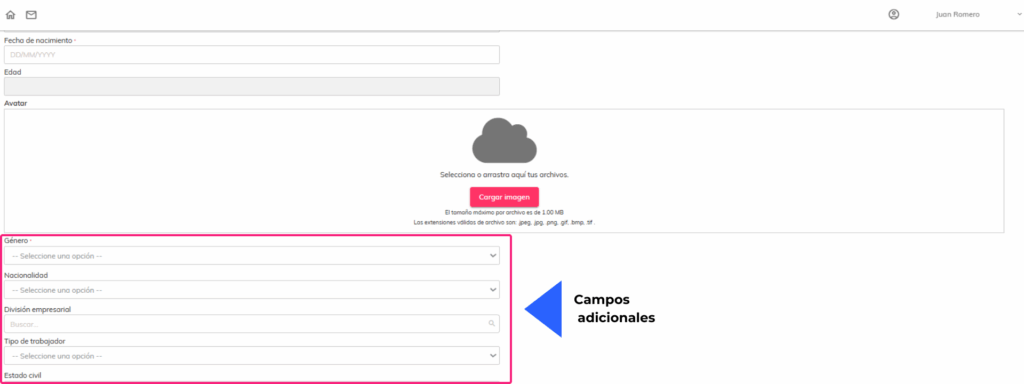
- Create fields in the employee form for the delt@ application. Fields for Nationality, Professional Status, Social Security Affiliation Number (NAF), and Social Security Scheme are added; all are configurable and optional.
Absenteeism
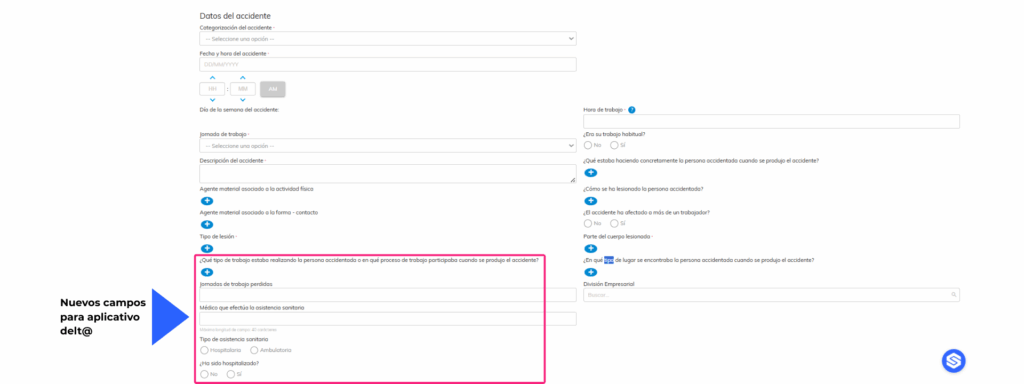
- Create and modify fields in the accident form for the delt@ application. Fields for location type, work type, attending physician, type of healthcare, hospitalization, and facility have been added. Form sections have been modified, and auto-completion rules have been implemented based on the selected accident location.
Safety inspections
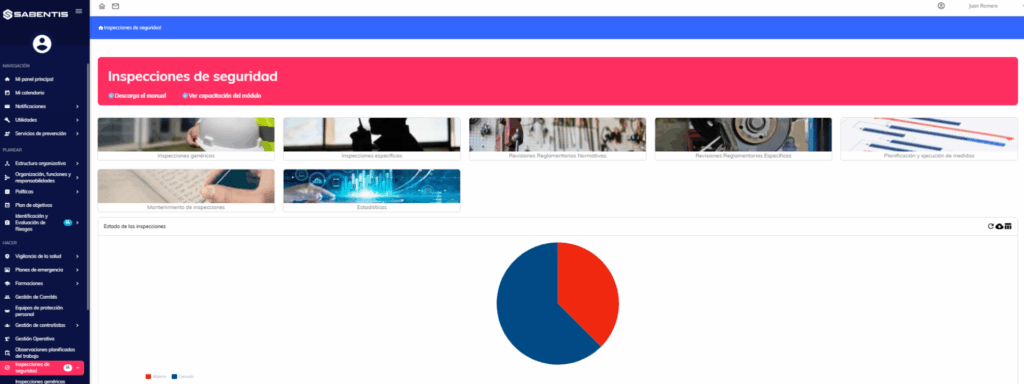
- Add the “Signature” field tag for the person responsible for the inspection and review report process. The tag captures the signature of the person responsible for the assessment and is added to the end of the report in a specific size.
18 November 2025
Version 6.31
Sabentis Prime Update: Version 6.31
Organizational structure
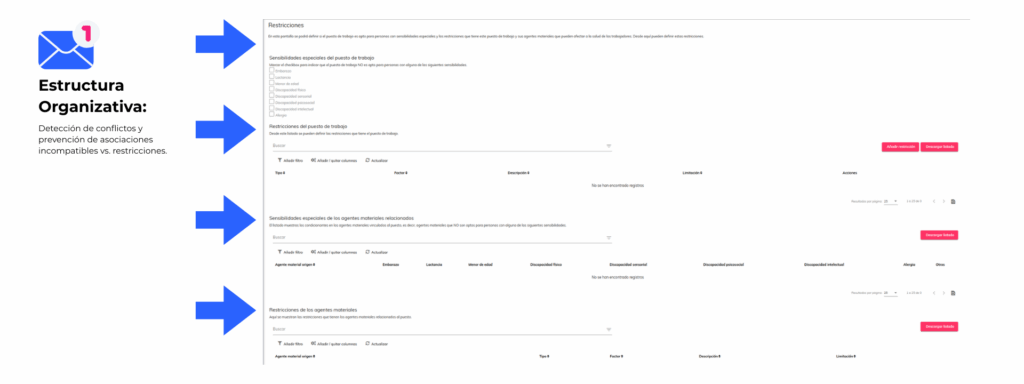
- Optimize compatibility management by associating employees with positions that have sensitivities or restrictions, displaying a proactive alert detailing the detected conditions. The system automatically detects conflicts and prevents incompatible associations, showing a clear warning message with the detected sensitivities and restrictions.
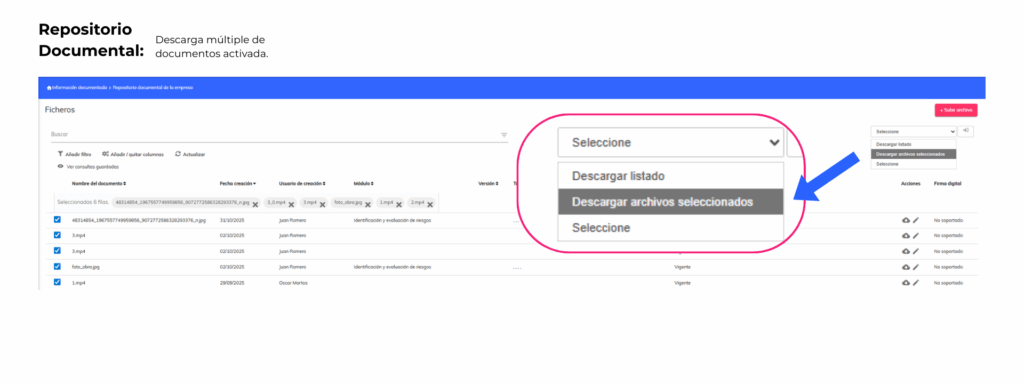
Document repository
- Multiple downloads have been added to the document repository’s document list. Users can now select multiple documents and download them in a single ZIP file.
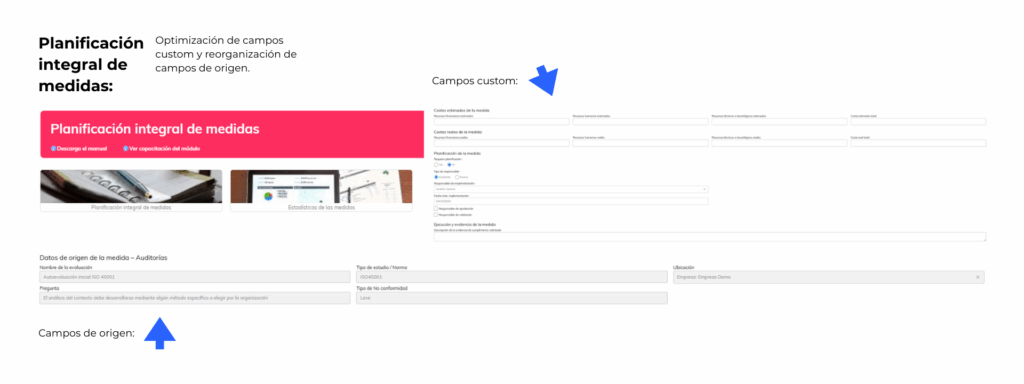
Comprehensive planning of measures
- Improved management of custom fields in corrective actions. Generic custom fields that do not distinguish the origin of the action have been added, while existing custom fields are distinguished by origin and appear at the top of the action.
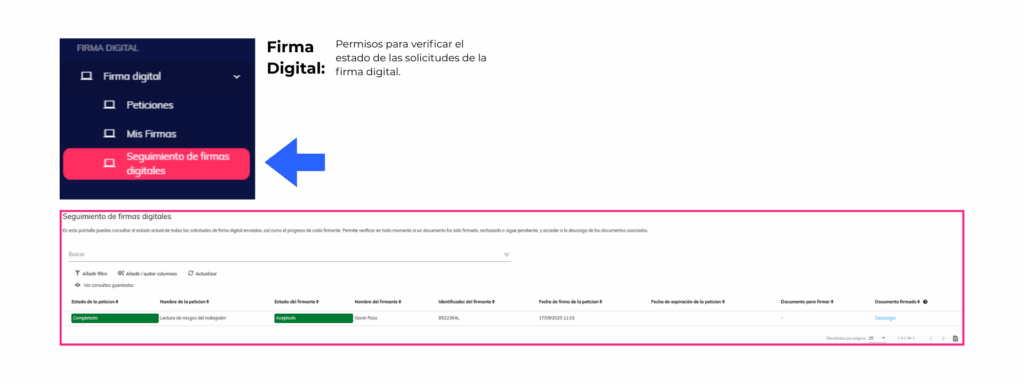
Digital signature
- Digital signature tracking list to check the status of all submitted digital signature requests. It allows you to verify the progress of each signer, access and download associated documents, and properly manage each signature request.
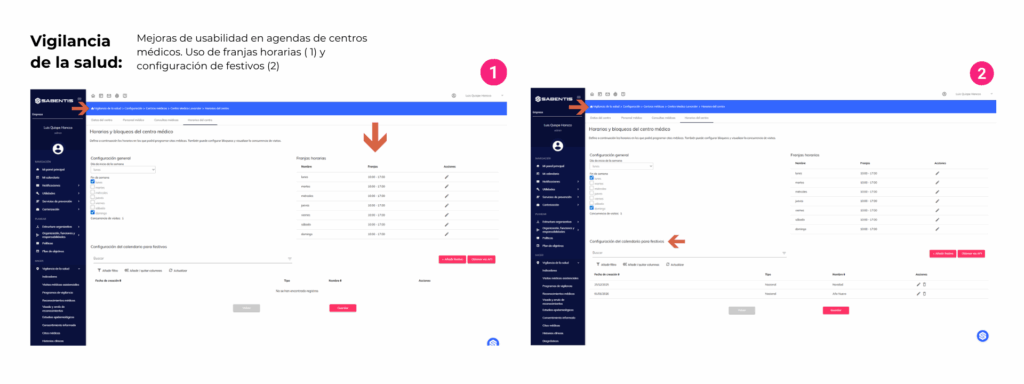
Health surveillance
- Usability improvements to medical center appointment scheduling with daily time slot configuration. Allows you to define different times per day, assign specific time slots, and manage the duration of medical appointments.
- Configure national and local holidays in medical center calendars. Allows you to upload national holidays via API integration or manually, and manage local/regional holidays manually. Includes validation to prevent duplicates and an update policy for data imported from the API.
Risk identification and assessment
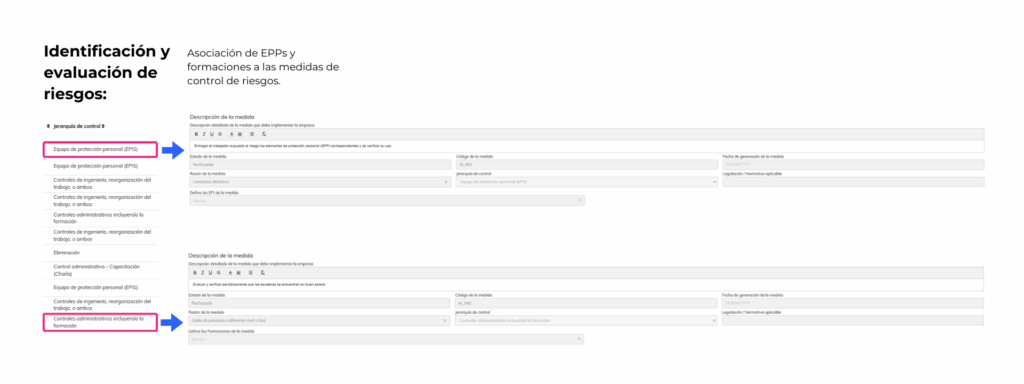
- Association of personal protective equipment (PPE) and training with control measures. When the hierarchy “Personal protective equipment” or “Administrative control including training” is selected, the corresponding PPE or training can be selected from their respective modules.
Contractor Management / CAE
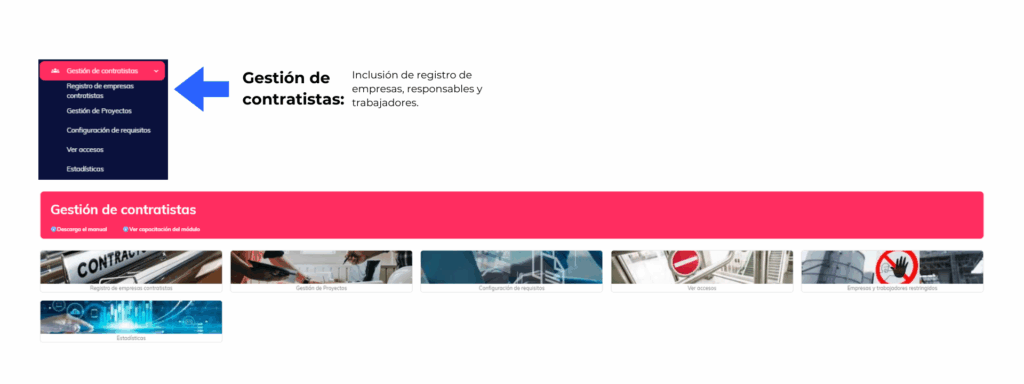
- API expansion for the contractors module including registration of companies, managers and contractor workers.
4 November 2025
Version 6.30
Sabentis Prime Update: Version 6.30
Health surveillance
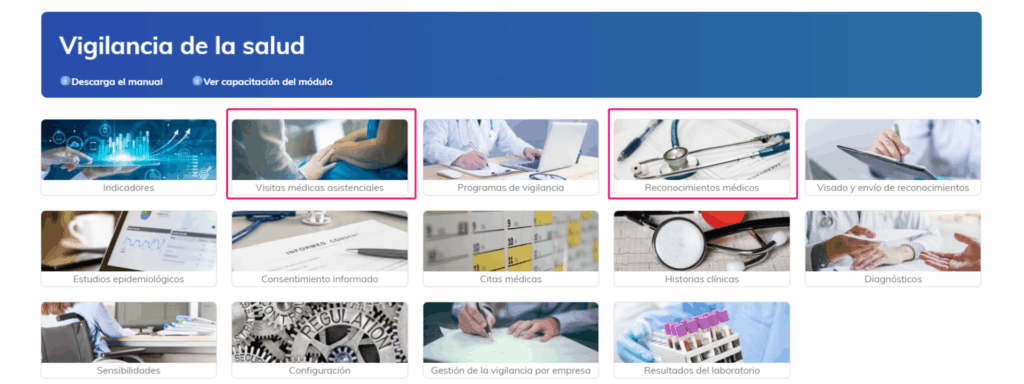
- Redesign the RM and VMA report, presenting the tests in table format when they belong to the same type and group, respecting the order defined in the configuration.
19 October 2025
Version 6.29.0
Sabentis Prime Update: Version 6.29
Absenteeism Module
- The management of worker-hours worked monthly for workers is optimized, facilitating their registration through an importer and enabling automated configuration according to collective agreement.
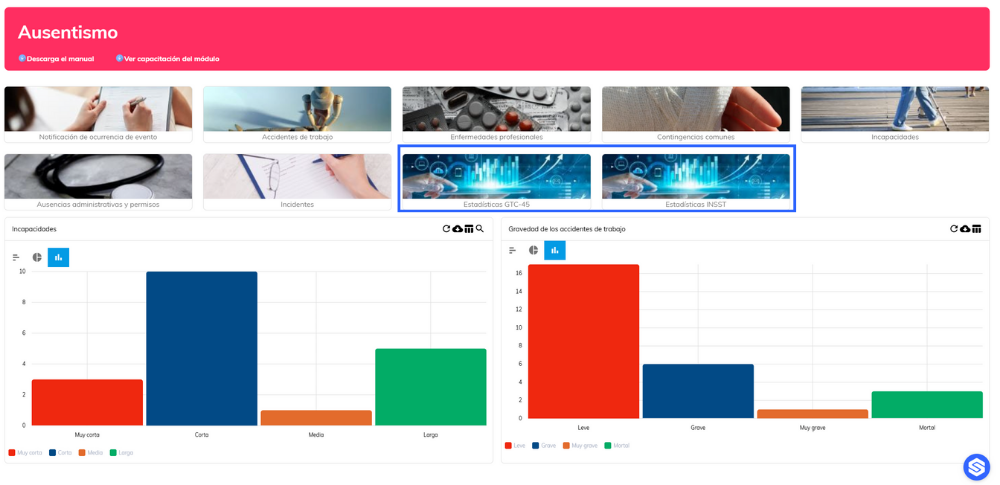
- The INSST statistical dashboards are being improved, adding graphical representations of incidence, frequency and severity indices by physical locations.
- The module is reinforced with a revamped INSST statistics card display, which now shows official company indicators, annual comparisons, and configurable targets.
Personal protective equipment
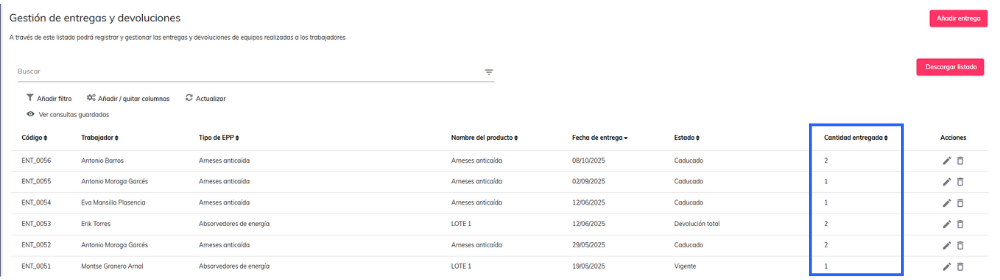
- The list for managing deliveries and returns is strengthened by adding the “Quantity delivered” column to improve the tracking of distributed PPE.
Organizational structure
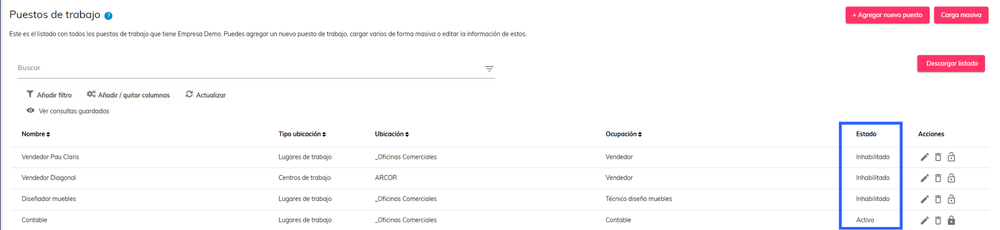
- Actions on jobs are optimized, differentiating between disabling/enabling (including history) and deleting (permanent), in addition to integrating a new status column in the listings.
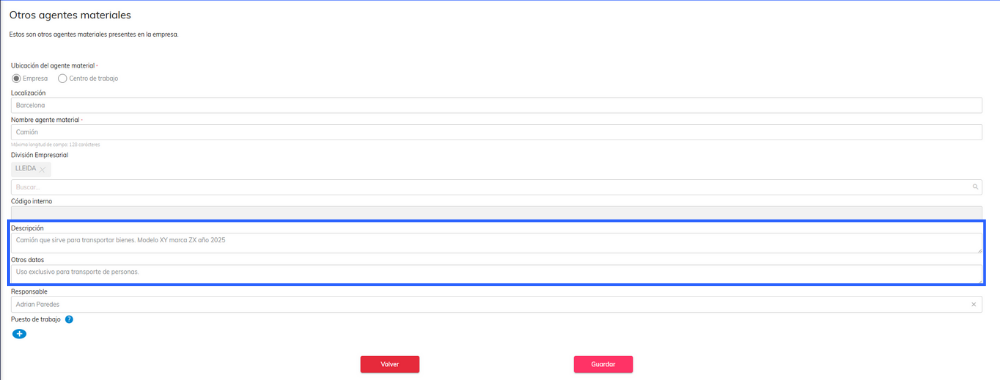
- The information display is expanded by adding the columns “Description” and “Other data” to the list of other material agents.
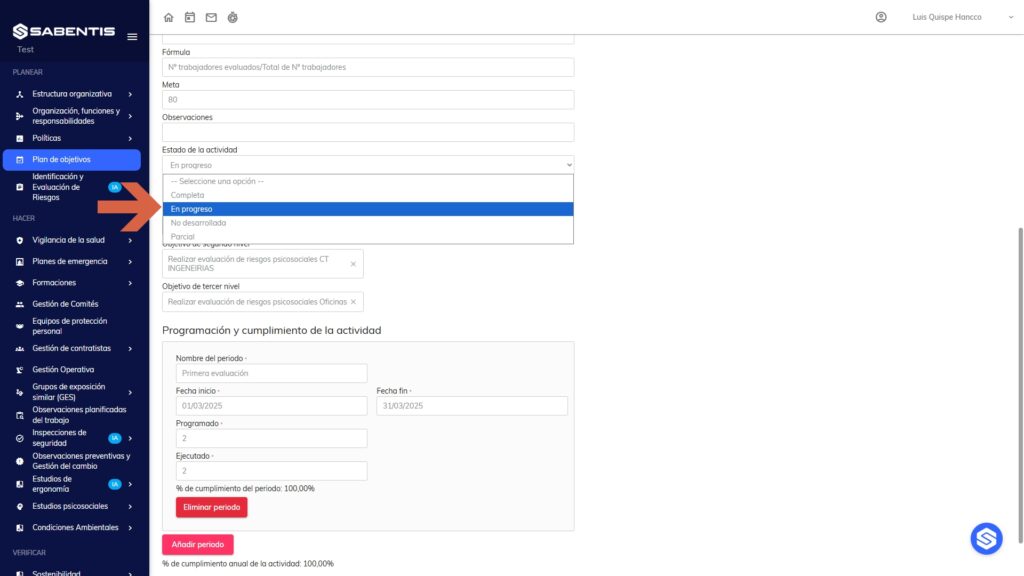
Objectives plan
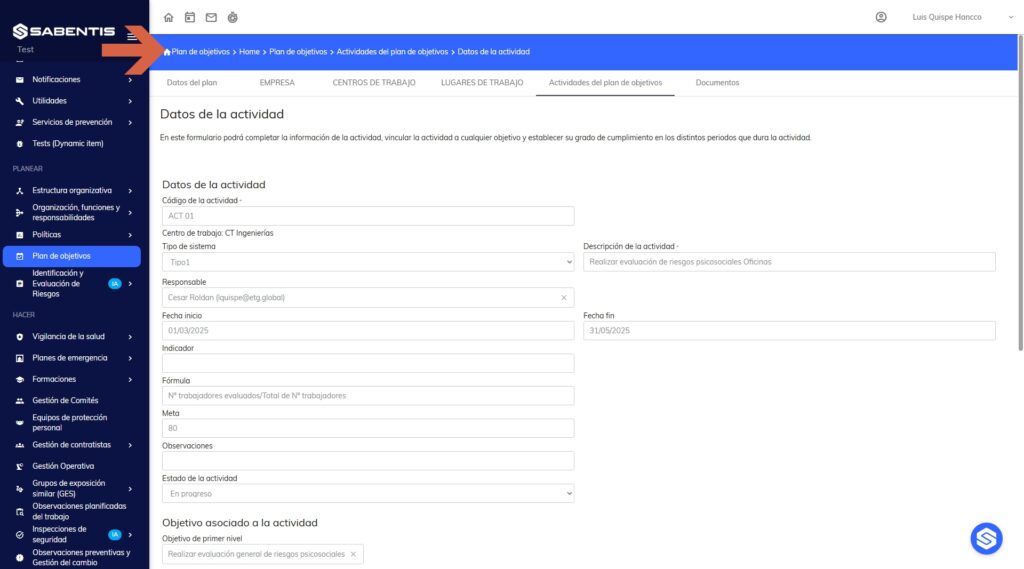
- The traceability of activities with the “In progress” status is expanded, optimizing the monitoring of their progress.
Risk identification and assessment
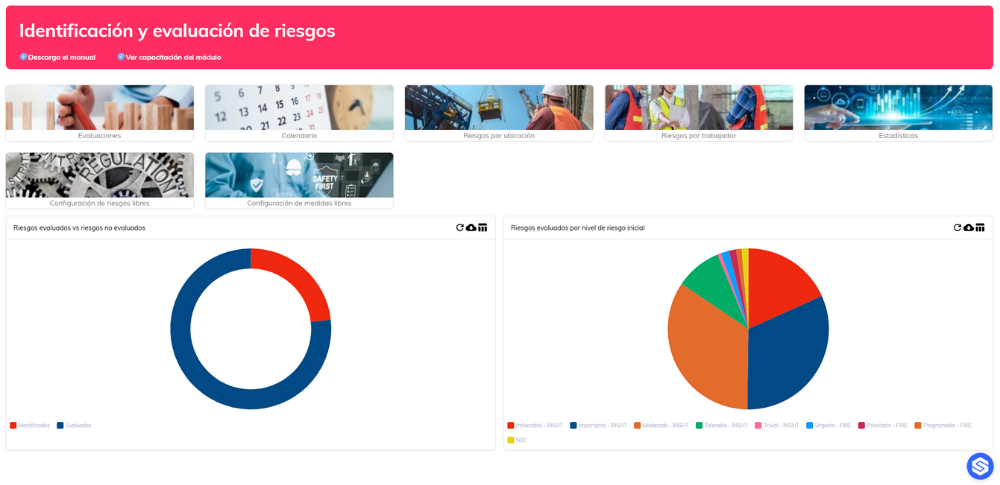
- Reports are being improved, adding tags for material agents (machine data, chemicals and PPE associated with jobs).
- Documentary processes are strengthened through digital signatures in the generation of risk assessments.
- The Risk Identification and Assessment module is methodologically incorporated as an alternative within the platform.
Health surveillance
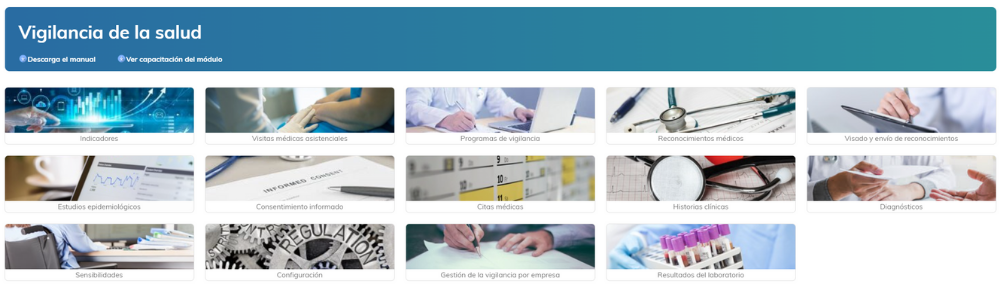
- Medical examination reports are optimized, allowing the selection of tests to be displayed using configurable checkboxes.
- Document management is strengthened with the option to attach PDFs as annexes to medical reports.
- Generic tests are improved, allowing multiple records of the same test through a dedicated button.
- The management of work restrictions is automatically synchronized from medical examinations, covering diagnosis, status, and responsible party in the worker’s record.
- Weekly notification to OSH and VS managers regarding the upcoming expiration of fitness certificates is automated, detailing the worker and the last assessment.
Training
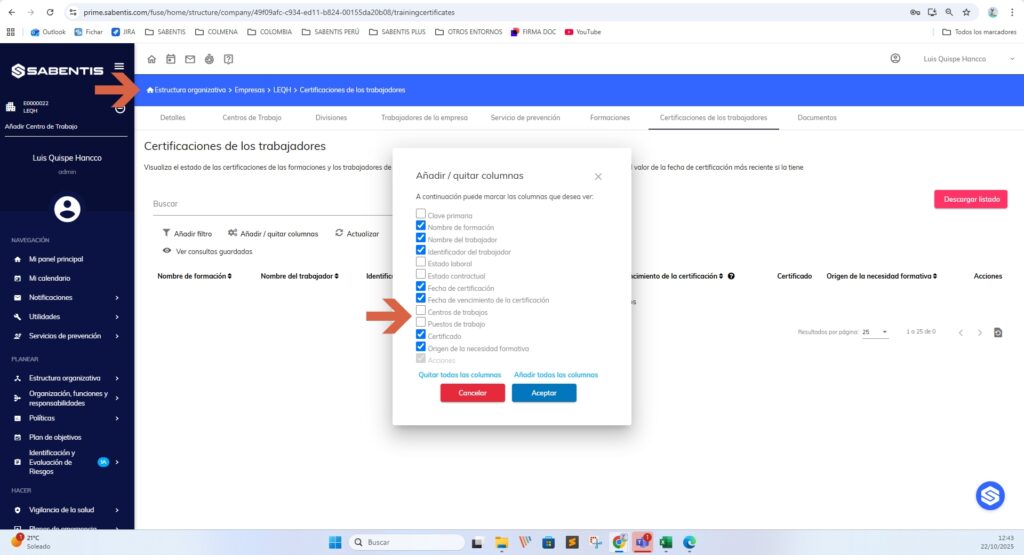
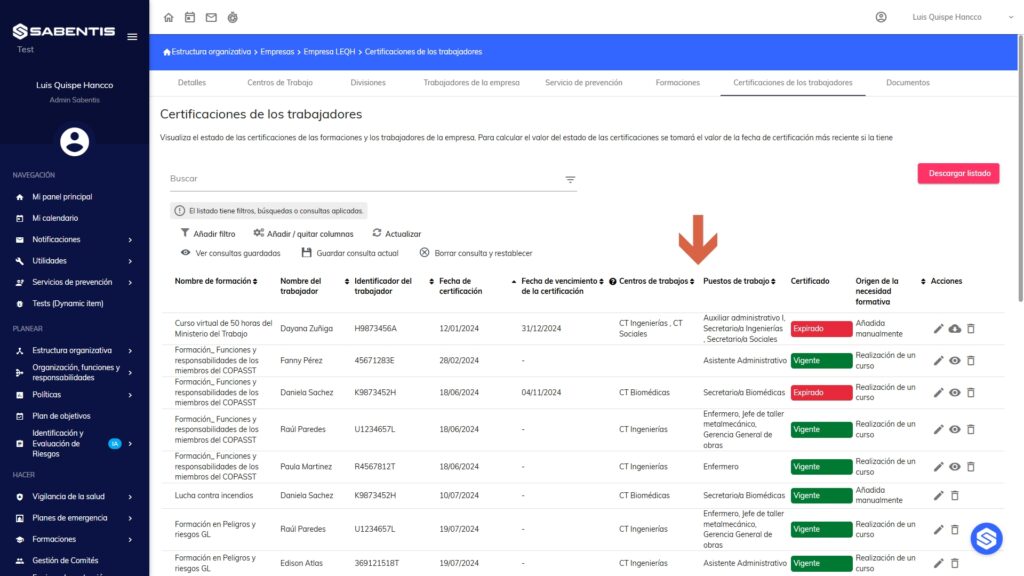
- Traceability in certification management is enhanced by adding the “Work center” and “Job position” columns to the corresponding lists.
Emergency plans
- Documentary processes for emergency plans and drills are improved with the integration of digital signature functionality.

Safety inspections
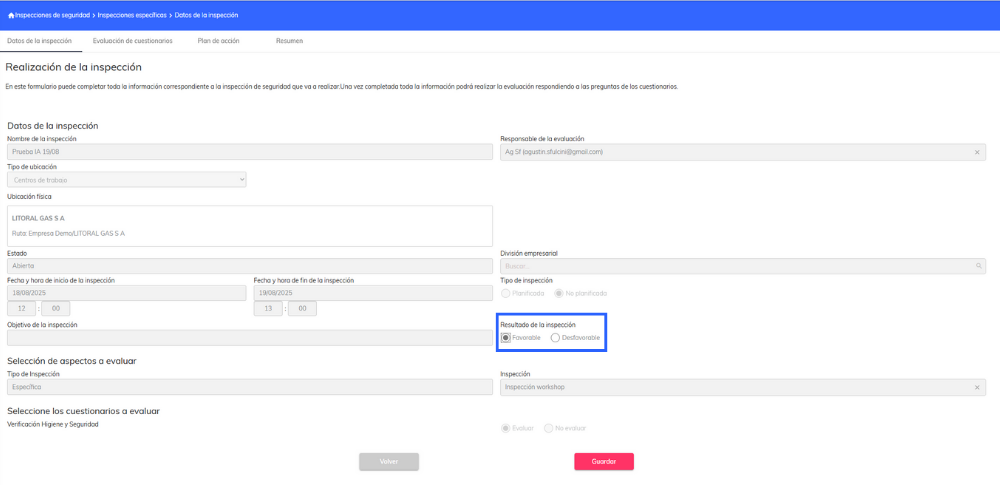
- The “Inspection/Review Result” field is added, along with its registration in lists, filters, and statistics for improved results analysis.
Comprehensive planning of measures
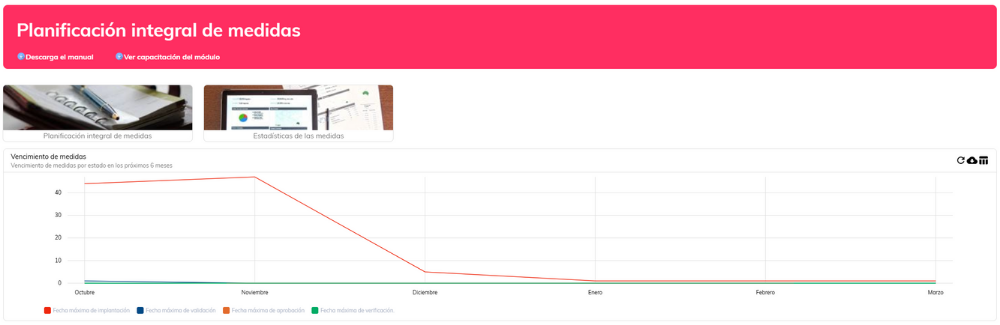
- The flow of evidence in measures is optimized, keeping the evidence upload step visible but allowing progress when it is not necessary to attach documents.
Audits
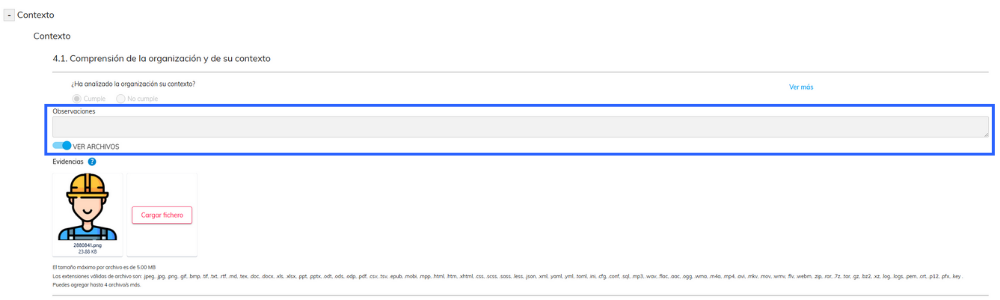
- Flexibility is added to the ISO standards questionnaires, with an “Observations” field for free notes in each question, making it easier to record notes during the process.
Ergonomics
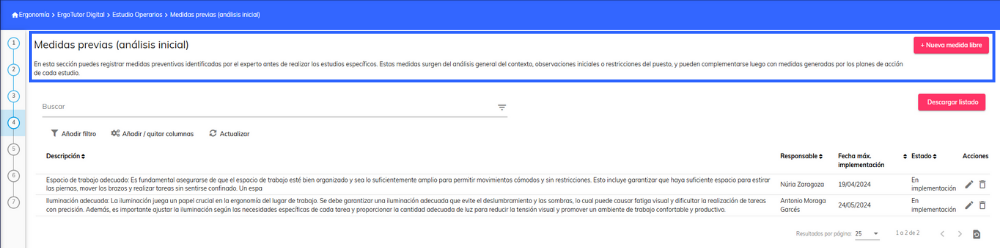
- The experience in the ErgoTutor Digital module is improved by renaming the “Standalone Measures” tab to “Prior Measures (initial analysis)” and adding an explanatory description for the user.


 5
5

